Retro consoles are never just the box under the TV. The real time machine is the accessory in your hand: the chunky controller with a short cable, the memory card labeled with a sticker, the multitap that turned a living room into a four-player battlefield. Modern hardware is faster, prettier, and more convenient, but retro accessories taught us how much feel matters. They were built around limitations, and those limitations gave them personality.
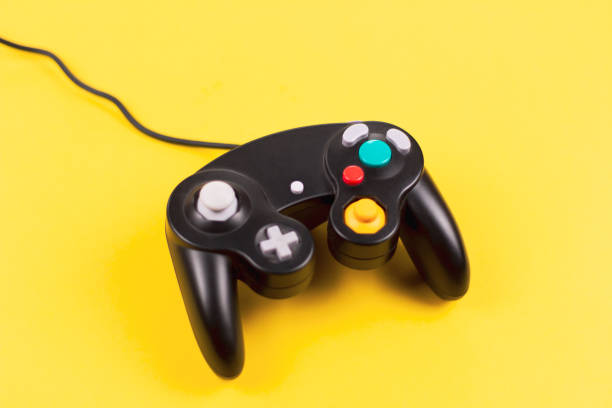
Take the controller. The NES d-pad made precise movement possible. The SNES added shoulder buttons and a rounded shape that still feels natural. The Genesis six-button pad was made for fighting games. The Nintendo 64 trident controller looked strange, but it gave us analog movement and a trigger that felt like a gun. The Dreamcast VMU was a memory card with a screen, a tiny game system you could carry. These were not just input devices. They were invitations to play in a new way.
Today you can still use original controllers on modern screens. USB adapters and Bluetooth dongles turn old plugs into wireless-friendly gear. A wired adapter can add almost no noticeable lag. If you want the original feel without hunting for a working console, a good adapter plus a modern emulation box or mini console can be enough. Match the controller to the game. Fighting games want a six-button pad or arcade stick. Platformers want a d-pad. Racing games want analog triggers.
Memory cards deserve more respect. PlayStation memory cards, Nintendo 64 Controller Paks, and Dreamcast VMUs hold saves that represent hundreds of hours. Many old carts and consoles rely on internal batteries to keep save files alive. Those batteries die, and your progress can vanish. If you care about old saves, learn how to back them up. Some devices let you copy saves to a computer. Others need a simple battery replacement. A CR2032 coin cell is cheap, but opening a cartridge takes patience. Do it before the battery leaks, not after.
Cables are the least glamorous accessory and the most important. Old consoles were made for CRT televisions. They output low-resolution signals that modern flat panels often struggle to display. A direct composite connection can look soft, blurry, or laggy. S-video and component cables can improve the picture if your console supports them. For serious retro gaming, a dedicated upscaler can make old games look sharp on an HDTV without adding much delay. Start with the best cable your console supports, then upgrade if the picture bothers you.
Then there are the wild accessories. Light guns, dance pads, fishing rods, steering wheels, and motion controllers made games physical. Light guns are tricky today because most modern TVs do not work with the original technology. Some newer kits use sensors and work on flat screens, but they are not the same as pointing at a CRT. Dance pads often survive because they are simple switches and can be adapted to USB. Multitaps and link cables are still the best way to recreate local multiplayer nights.
Comfort and care matter too. Retro controllers were not designed for adult hands or six-hour sessions. Extension cables, controller grips, and wireless adapters can make them easier to live with. Keep cables untangled. Clean sticky buttons with isopropyl alcohol and cotton swabs. Avoid soaking anything in water. If plastic has yellowed, there are methods to brighten it, but they can be risky. A clean, working accessory is better than a perfect-looking one that no longer functions.
The biggest trap in retro gaming is treating accessories as museum pieces. Sealed boxes and rare variants are fun for collectors, but the hobby is better when you actually play. Buy the controller you will use. Buy the cable that fits your TV. Buy the memory card you can back up. A modest setup with a good controller, a decent cable, and a reliable way to save games will beat a shelf full of untouched gear. Emulation and mini consoles are fine options, but they still benefit from real accessories. The old-school gear still makes sense today because it puts the feel of play first.