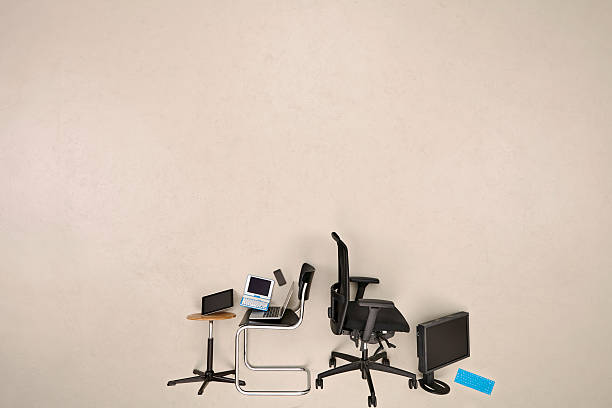
A comfortable home setup is not about buying the most expensive chair or turning your spare room into a spaceship. It is about removing the small strains that quietly wear you down. The laptop on the couch, the monitor you crane toward, the mouse just a little too far away—these tiny inconveniences become headaches, sore wrists, and a stiff neck by the end of the week. The goal is simple: keep your body neutral while your attention stays on the screen.
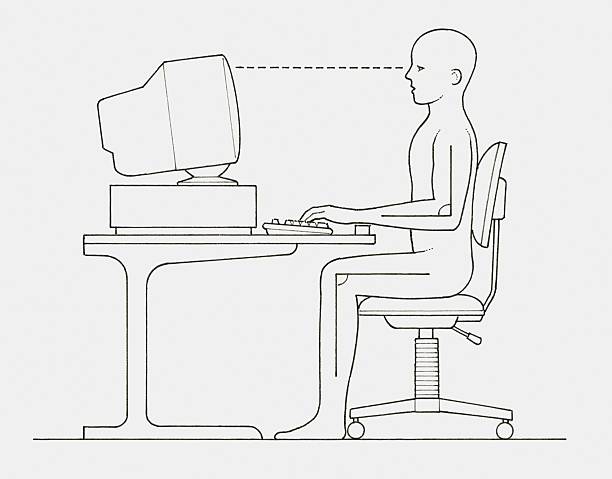
Start with your chair. You want feet flat on the floor or a footrest, hips slightly higher than knees, and lower back supported without forcing military posture. If your chair has a lumbar bump, adjust it to fill the curve of your lower back. Seat depth matters: you should slide two fingers behind your knees when your back is against the chair. If the seat is too deep, add a cushion behind you. Armrests should let your shoulders drop; if they push your elbows up, lower them or move them aside.
Next, sort out desk height. Your elbows should rest near a ninety-degree angle, forearms roughly parallel to the floor, shoulders relaxed. If the desk is too high, raise your chair and use a footrest so your feet are not dangling. If it is too low, put sturdy blocks under the legs or consider a keyboard tray. Your keyboard should sit flat or with a slight negative tilt, meaning the back edge is a touch lower than the front. That keeps your wrists straight instead of bent upward. Keep your mouse close enough that you are not reaching.
Monitor position is where many home setups go wrong. The top of the screen should be at or just below eye level, about an arm’s length away. If you use a laptop all day, put it on a stand or a stack of books and add an external keyboard and mouse. Looking down at a laptop for hours is like holding a bowling ball in front of you. Your neck will complain eventually. With two monitors, place the one you use most directly ahead and angle the second inward. Increase text size instead of leaning forward.
Lighting and eye comfort matter too. Avoid placing your screen directly in front of a bright window or letting a lamp reflect off the glass. Soft, indirect light behind the monitor can reduce contrast headaches. Follow the twenty-twenty-twenty guideline: every twenty minutes, look at something twenty feet away for twenty seconds. Keep screen brightness close to room brightness. Your eyes are not designed to stare at a glowing rectangle in a dark cave.
Movement is the secret ingredient. No chair can make eight hours of stillness feel good. Stand up every half hour or so. Stretch your hands, roll your shoulders, look left and right. Take a short walk to refill your water. If you can, alternate between sitting and standing with an adjustable desk or a simple countertop. Even a few minutes of movement resets circulation and reduces stiffness. The best posture is not one perfect pose; it is a posture that changes.
Comfort also means temperature, noise, and clutter. A cold room makes your shoulders creep up; a hot room makes you sluggish. Keep a fan, a small blanket, or a hoodie within reach. If noise breaks your focus, try headphones or a white-noise machine. Cable clutter makes you tense when you need to plug something in. Spend ten minutes routing cables behind the desk. You do not need to buy everything at once. Fix the chair, monitor height, and keyboard and mouse position before decorative extras. A used office chair from a business surplus store often beats a new gaming chair. A cardboard box can be a footrest; a stack of books can be a laptop stand. Wrist rests should support your palms during pauses, not while you type.
Treat your setup like a pair of shoes. It should fit well enough that you forget about it. Small adjustments are not pampering. They are maintenance for the body that carries you through every project, game, and late-night rabbit hole. Get your screen up, your wrists straight, your feet supported, and your body moving. Your future self will thank you.