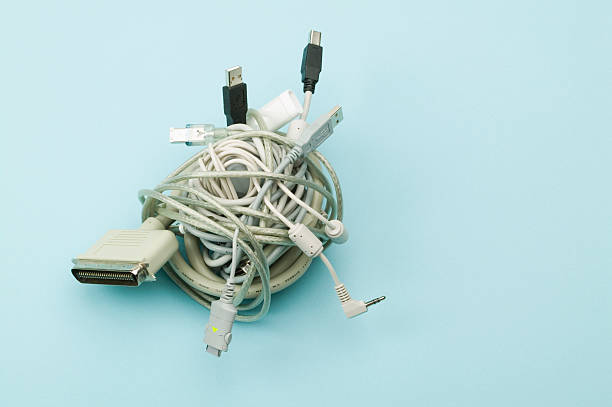
A student desk does not need to look like a spaceship. It needs to help you study without fighting your gear. The best deals in student and home office peripherals are rarely flashy. They are the boring things you touch daily: a decent keyboard, a mouse that fits, a monitor that does not hurt your eyes, and a hub that stops cable chaos. Spend where your hands and eyes live. Save on decor, RGB, and anything labeled gaming when the same part costs less without the logo.
Before buying, find what actually slows you down. Always out of ports? A USB-C hub helps more than a new desk mat. Wrist sore after an hour? An ergonomic mouse or better keyboard angle matters more than wallpaper. Screen too small for papers and spreadsheets? A second monitor is the best productivity upgrade for most students. Measure your desk first. A cheap 27-inch monitor is useless if it hangs off the edge. Write down your real bottlenecks, then hunt deals for those only.
Student discounts are real, and not only for laptops. Many brands offer education pricing on monitors, keyboards, mice, webcams, and software. Check the brand’s education store before a big retailer. Also consider refurbished business gear. Off-lease Dell, Lenovo, and HP monitors are built to be repaired, not tossed. They often include height adjustment, USB ports, and a warranty from a good refurbisher. That beats a no-name screen in a pretty box. Buy from sellers with clear returns and at least a one-year warranty.
Monitors are where deals shine. A 24-inch 1080p IPS panel is the sweet spot for tight budgets and small desks. If you have room, 27-inch 1440p gives more space for documents. Two cheaper monitors can beat one expensive ultrawide for schoolwork, especially if one stays in portrait mode for reading. A monitor arm or riser frees desk space and raises the screen. Used office monitors often adjust in ways budget new ones do not.
For typing and pointing, comfort wins. A cheap membrane keyboard can feel fine, but it may wear out. A modest mechanical keyboard with quiet switches is often worth it for long papers. For mice, shape matters more than sensor specs. A wired mouse is cheaper and never needs charging. If your wrist hurts, try a vertical mouse or trackball before a wrist rest. Good posture does more than gel.
Audio and video are easy places to overspend. A 1080p webcam at thirty frames per second is plenty for classes. Good lighting from a cheap desk lamp improves your image more than a 4K webcam. A wired headset with a microphone beats laptop speakers and built-in mics. Small used bookshelf speakers can sound great on a desk; skip the giant soundbar.
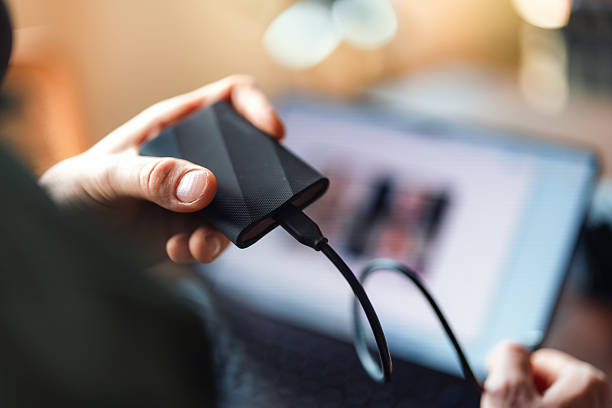
Storage and backup are unglamorous but essential. An external SSD moves large files fast, while a cheaper hard drive is fine for archives. Cloud storage is useful but not a full backup by itself. Keep important schoolwork in at least two places, and test that you can restore it. For dongles, buy a hub with the ports you actually use: HDMI, USB-A, SD card, and power delivery. Avoid no-name hubs that overheat. Anker, Plugable, and CalDigit deals are worth watching.
Comfort and style should come last. A used office chair from a business liquidation often beats a new gaming chair. A laptop stand plus an external keyboard saves your neck. A cheap LED strip behind the monitor reduces eye strain in a dark room. Velcro ties and an under-desk cable tray make any setup feel calmer. You do not need a monitor stack unless your neck agrees.
The best time to buy is back-to-school season, Black Friday, and refurbishment sales, but do not wait if you need something now. Set price alerts, check open-box deals, and compare the total with tax and shipping. Micro Center, Best Buy outlet, and eBay refurbished can beat standard sales. Facebook Marketplace is great for desks and chairs, but test everything you can. Finally, upgrade one bottleneck at a time. A careful two-hundred-dollar used setup can beat an eight-hundred-dollar new one. Buy the tools you touch, skip the noise, and your student desk will feel expensive without costing like it.