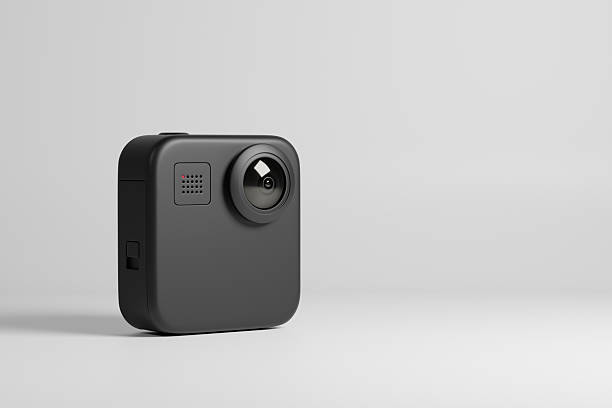
Webcams are one of those purchases where price and quality have a weird, loose relationship. You can spend two hundred dollars and still look like you’re broadcasting from a dim basement. You can also spend forty dollars during a good sale and look crisp enough for Twitch, YouTube, Zoom, or a weekly D&D game. The difference usually isn’t the logo. It’s knowing which specs matter, which deals are real, and which accessories actually improve your stream.
Start with the basics. For most people, 1080p at 30 frames per second is plenty. If you move a lot, 1080p at 60 frames per second is a nice upgrade, but not mandatory. A 4K webcam sounds impressive, but unless you crop into the frame, you’re paying for pixels you’ll downscale anyway. What matters more is low-light performance. A webcam that handles a dim room without turning you into a grainy ghost is worth more than a sharper image in perfect studio light.
Autofocus and exposure controls are next. Cheap webcams hunt for focus, breathe in and out, and blow out your face when a window is behind you. Look for decent autofocus and automatic exposure, or software that lets you lock settings. If you wear glasses, check sample footage from real users. Glare can make a budget webcam look terrible, and no deal is good if you have to return it twice.
The best savings come from buying one generation behind. Companies release new models with minor improvements, then slash prices on the old ones. That older model is often 90 percent as good for half the price. Refurbished and open-box units from reputable sellers are another smart move. Manufacturer refurbished gear often includes a warranty, and open-box items from big retailers can be returned. Avoid mystery brands with random-letter names. Their “4K” webcams often use software interpolation, terrible sensors, and microphones that sound like a tin can in a wind tunnel.
Deal timing matters, but you don’t have to wait for Black Friday. Webcams go on sale during back-to-school, Prime Day, and random weeklong promotions. Set price alerts and check price history so you know whether a “sale” is real. Coupon stacking can help. Student discounts, cashback apps, retailer card offers, and price matching can shave off another ten or twenty percent. If a store offers a bundle with a light, tripod, or privacy shutter, compare the total against buying pieces separately. Sometimes the bundle is a genuine steal. Sometimes it’s junk you’ll never use.
Before buying a webcam, ask whether your phone can do the job. Many phones have better cameras than budget webcams. Apps and built-in features can turn an iPhone or Android device into a webcam. This is a great short-term savings move. The catch is mounting, charging, and notifications interrupting your stream. For hours of streaming, a dedicated webcam is less fuss. For casual calls, your phone plus a cheap stand might be enough.
Lighting is where the real money-saving magic happens. A fifty-dollar webcam with soft, front-facing light will beat a two-hundred-dollar webcam in a dark room. You don’t need a studio kit. A desk lamp bounced off a white wall, a window during the day, or a cheap LED panel with a diffuser can transform your image. If your webcam has a bad microphone, fix audio before upgrading video. Viewers will forgive a slightly soft picture. They will not forgive echo, hiss, or your voice sounding like you’re calling from a submarine.
Software can stretch your savings. Tools like OBS, NVIDIA Broadcast, and built-in camera effects can clean up noise, blur backgrounds, and improve color without new hardware. They won’t fix an awful sensor, but they can make a decent webcam look better. For streaming, don’t buy a capture card unless you need one. Many webcams plug straight into USB and work with OBS. Set a realistic budget. Under fifty dollars, expect basic 1080p and acceptable performance in good light. Between fifty and one hundred dollars, look for reliable 1080p60 or solid 4K30 models on sale. Above that, you’re buying convenience or a specific feature. Buy from sellers with easy returns, test the webcam right away, and send it back if it doesn’t impress you. The best deal isn’t the cheapest webcam. It’s the one that makes you look and sound good without making you dread every stream.