Good lighting is less about fancy gear and more about controlling the light you already have. If you look tired or washed out on camera, the problem is usually the size, direction, and color of your light. Fix those three things and you can look better than people with expensive gear.
The biggest myth is that you need more light. You need softer light. Hard light comes from a small source, like a bare bulb or a phone flash. It creates sharp shadows, highlights every texture, and makes people look harsh. Soft light comes from a large source relative to the subject. A big window on a cloudy day is soft. A white wall that bounces light is softer still. When you soften light, shadows fade, skin looks smoother, and the image feels professional without looking fake.
The easiest free upgrade is a window. Put yourself facing the window, not with your back to it. If the window is behind you, your camera will expose for the bright background and turn you into a silhouette. The sweet spot is about forty-five degrees to one side, with the window slightly above eye level. If the light is too harsh, hang a sheer curtain or a white bedsheet in front of it. That turns a hard window into a giant softbox.
Bouncing light is the next cheap trick. Light bounces off white surfaces. A piece of white foam board from a craft store costs a few dollars and can fill in shadows on the dark side of your face. You can also use a white wall or poster board. Put the bounce opposite your main light and angle it toward you. Move it closer or farther until the shadows look natural. The goal is not to eliminate shadows completely. You want soft shadows that give shape.
Color temperature matters more than most people realize. Your window might be cool blue, your desk lamp warm orange, and your ceiling light greenish. Mixed colors make skin look sickly. Pick one color temperature and stick to it. Daylight is around 5000 to 5600 Kelvin. If you cannot change your bulbs, close the blinds and use one type of artificial light. Then set your camera’s white balance manually or lock it so it does not shift mid-video.
Direction is the third pillar. Light from directly above creates dark eye sockets. Light from below looks ghostly, and side light can be too moody for a tutorial. For most content creators, the best starting point is a key light about forty-five degrees to one side and slightly above eye level. Then add a weaker fill light on the opposite side, or use a bounce. If you want to separate yourself from the background, put a small light behind you and point it at the back of your head or the wall. This backlight makes you pop.
You do not need a ring light, but if you have one, use it well. Ring lights are convenient and give a nice catchlight in the eyes. However, a small ring light close to your face can look flat and create a weird halo. Move it a little farther away and soften it with a diffuser. If you are using a phone, a ring light can be fine for quick videos, but a window and a foam board often look better.
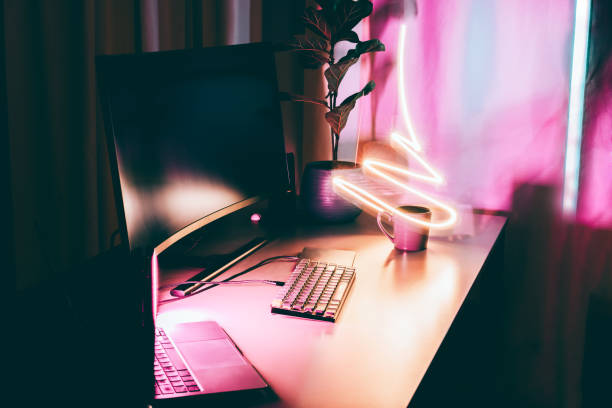
For product shots, the same rules apply: bigger, closer, softer. A cheap light tent or a cardboard box lined with tracing paper can make small objects look clean. Use two lights or one light and a bounce. Avoid direct flash. For streaming, bias lighting behind your monitor reduces eye strain and adds depth. Keep it dim and neutral. RGB lights are fun for accents, but do not use them as your main light unless you want to look like a neon sign.
Start with one soft source, one bounce, and one color temperature. Move them around. Watch your camera preview. You will learn more in ten minutes of testing than in ten hours of buying. Good lighting is not expensive. It is just deliberate.