The best webcam deal is rarely the flashiest one. If you are streaming, teaching, recording videos, or just trying not to look blurry on calls, you do not need to spend two hundred dollars on cinematic magic. Most platforms compress your video anyway. YouTube, Twitch, Zoom, and Meet take your signal and squeeze it down for the internet. That means a sensible 1080p webcam with good lighting often beats a fancy 4K model sitting in a dim room.
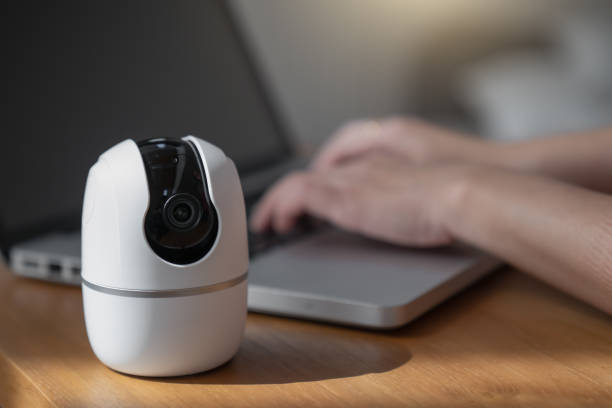
Start with what you actually need. For most people, 1080p at thirty frames per second is plenty. If you move around a lot or play games, sixty frames per second is nice but costs more. Autofocus helps if you lean in and out or show objects. A wide field of view is good for a desk or guest, but too wide makes you look tiny. Low-light performance matters more than resolution. A sharp 1080p camera that handles shadowy rooms well is worth more than a 4K camera that turns grainy when the sun goes down. Look for a privacy shutter, too.
When you shop, think like a deal hunter, not a spec chaser. Last year’s model is usually this year’s bargain. A webcam that was top of the line eighteen months ago still looks great today, and it often drops by half when a new version arrives. Refurbished and open-box units are excellent if they come from a reputable seller with a warranty. Major sale events are obvious times to buy, but do not ignore random weekday price drops. Set a price alert on a few models you like and let the internet do the waiting. If you can wait until a holiday sale, you will usually save more than by buying in a panic before your first stream.
Bundles can be tempting, but read the fine print. A webcam plus a cheap tripod plus a tiny ring light might look like a steal, yet the accessories are often the weakest part. You may already own a better tripod, phone holder, or lamp. Buy the camera you need, then build the rest from things you have. A stack of books, a sturdy box, or a shelf can hold a webcam at eye level. A ten-dollar desk lamp bounced off a white wall can do more for your image than a hundred-dollar lens upgrade. Streaming savings are not just about the sticker price. They are about avoiding unnecessary purchases.
Your phone is another secret weapon. Many phones have better cameras than most webcams. With the right app or a simple USB connection, you can turn an old phone into a high-quality webcam. That is especially useful if you are testing whether streaming is for you. Once you know you love it, buy a dedicated camera. Until then, save your money. If you stream console games, you might need a capture card, but PC gamers can usually capture directly. Do not buy extra hardware just because a random video told you to. Solve the problem you actually have.
Audio is the other half of the equation, and it is where beginners overspend in the wrong direction. Viewers will forgive a soft image. They will not forgive harsh, echoey, clipping sound. A basic USB microphone or a headset you already own can be enough. Use a blanket, rug, or curtains to reduce echo. Move the mic closer. These free tricks beat a cheap webcam microphone every time. If you must choose between a webcam upgrade and a microphone upgrade, fix the audio first.
Finally, remember that lighting and software are your cheapest upgrades. Put a soft light in front of you, not behind you. Avoid sitting with a bright window at your back. Use free tools like OBS to crop, color correct, and add scenes. Learn a few settings before you buy new gear. The best deal is the one that makes your current setup look better without costing a cent. When you do buy, be patient, check return policies, and ignore the hype. A smart shopper with a decent webcam and good light will look better than a big spender with bad placement.