Dark mode looks cool. It can make late-night scrolling less like staring into a car headlight. It can save battery on OLED screens. But it is not a magic shield for your eyes. If your eyes feel gritty, dry, achy, or blurry after a long day, dark mode alone is probably not going to fix it. The real problem is usually not the color of your pixels. It’s how hard your eyes are working.
Eye strain is mostly a muscle and moisture issue. Your eyes have tiny muscles that change the shape of your lens to focus. When you stare at a screen, especially a close one, those muscles stay locked in. You also blink less. Normal blinking spreads tears across the eye. Less blinking means dry spots, burning, and that tired feeling behind your eyeballs. Blue light can affect sleep, but it’s not the main cause of everyday screen fatigue. So swapping to dark mode without changing your habits is like putting a racing stripe on a car with flat tires.
Dark mode can even make things worse for some people. Light text on a dark background can create halation, especially if you have astigmatism. That’s when letters seem to glow or smear. It can also make your pupils dilate more to take in the darker background, which makes the bright text feel more intense. For some, dark mode is comfortable. For others, it’s a headache. The right answer depends on your eyes, your screen, and the room you’re in.
The best fix is contrast you don’t have to fight. If your room is bright, use light mode. If your room is dark, use dark mode or lower brightness. Match your screen to your surroundings. A screen that’s way brighter than the room is a glare bomb. A screen that’s way dimmer can make you squint. Adjust brightness manually instead of trusting auto-brightness all the time. Auto-brightness is better than nothing, but it often gets confused by lamps, windows, and shadows.
Next, deal with glare. Glare is any light bouncing off your screen or hitting your eyes from the side. You don’t need a fancy anti-glare filter for every device. Start by moving your screen away from windows and overhead lights. Tilt it slightly down or back until reflections disappear. If you can see your own face or a light fixture in the screen, your eyes are working harder. For desktop monitors, a cheap bias light behind the monitor can reduce the contrast between the screen and the wall. It sounds like a gamer trick, but it’s genuinely useful for movie nights and late work.
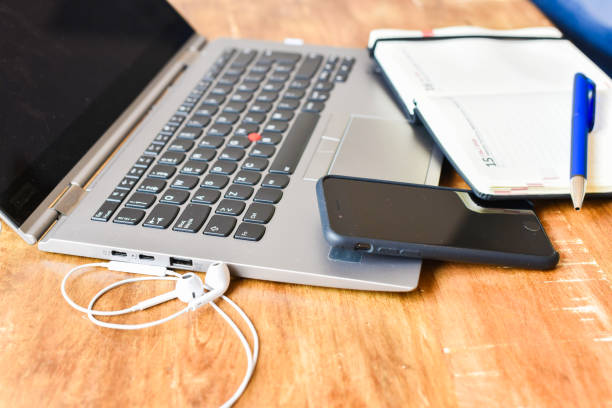
Then fix distance and posture. Your monitor should be about an arm’s length away, with the top of the screen roughly at eye level or slightly below. Laptops are the worst offenders because the screen and keyboard are stuck together. If you use a laptop all day, get a stand or a stack of books and a separate keyboard. Your neck will thank you, and your eyes won’t have to focus at such an awkward angle.
The 20-20-20 rule is still the simplest tool in the box. Every twenty minutes, look at something twenty feet away for twenty seconds. It gives your focusing muscles a break. You don’t have to be perfect. If you remember a few times an hour, that’s a win. Pair it with blinking. People blink less when they read or watch videos. Every so often, close your eyes for a few seconds or blink deliberately. If your eyes are dry, artificial tears can help, but avoid drops that promise to get the red out. Those can rebound and make things worse.
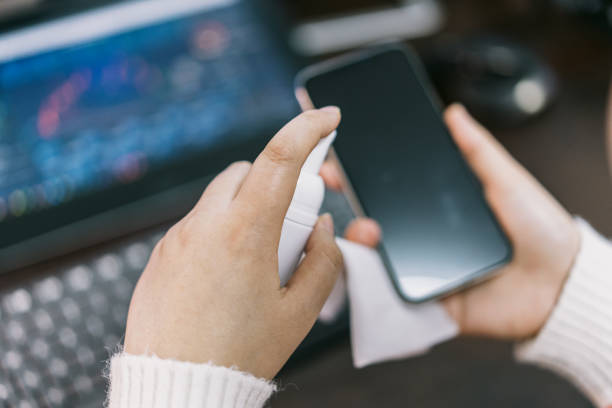
Text size matters more than most people admit. If you’re leaning in, zoom in. Bumping up font size by a couple of points can reduce squinting and neck strain. Increase line spacing if you can. Use a clean font. For mobile, a matte screen protector can cut glare, but it may soften the image and reduce touch feel. A privacy filter can help in bright offices, but it also dims the screen. Protect your eyes by protecting your comfort, not by buying every accessory.
Finally, take breaks seriously. Stand up, stretch, look out a window, and let your eyes reset. If your eyes hurt every day, see an eye doctor. You might need glasses, a different prescription, or help for dry eye. Dark mode is a tool, not a cure. The goal is not to make your screen look cool. The goal is to use it without paying for it later.