For years, the promise of USB-C has been a little like a magic trick that only works half the time. The plug fits, but the cable might not. One USB-C cable charges your phone slowly, another drives a monitor, another moves files at a crawl, and another does everything at once. The next wave of ports and cables is finally making that mess easier to understand and much more powerful. USB4 Version 2.0 and Thunderbolt 5 are the two names you will see most often, and they are worth knowing.
USB4 Version 2.0 is the upgraded version of the USB4 standard. It doubles the top speed from 40 gigabits per second to 80 gigabits per second. Think of it as more lanes on a highway. More lanes mean you can move huge files, drive multiple monitors, and charge a laptop at the same time without everything slowing to a crawl. The standard also gets smarter about how it uses those lanes. For video-heavy work, it can push up to 120 gigabits per second in one direction while still leaving room for data going the other way. That is a big deal for anyone editing 8K footage, running a high-refresh monitor, or using a virtual reality headset.
Thunderbolt 5 is Intel’s version of this next-generation connectivity, and it follows the same basic idea. It supports 80 gigabits per second, with a boost mode that can hit 120 gigabits per second for displays. It also works with PCIe Gen4, which means external solid-state drives and even external graphics cards can feel less like accessories and more like built-in parts. Power delivery is improving too. The USB Power Delivery spec can now send up to 240 watts over USB-C, and Thunderbolt 5 can deliver enough juice to charge large laptops. In plain English, the cable that connects your monitor might also charge your computer, run your backup drive, and feed your webcam.
For a non-technical person, the real benefit is fewer dongles and fewer headaches. A good USB4 v2 or Thunderbolt 5 dock can turn one port into a whole desk setup. You plug in one cable, and your laptop connects to two monitors, a wired network, an external SSD, a memory card reader, and a charger. When you leave, you unplug one cable. That is the home-office dream many people have been promised for years. It is finally becoming practical, not just possible.
Content creators should care because time is everything. A fast external NVMe drive over USB4 v2 can transfer a feature-length project in minutes instead of hours. A monitor with DisplayPort 2.1 support can show smooth motion and accurate color without compression tricks that cause banding or lag. Capture cards, audio interfaces, and cameras can share the same high-speed connection. Gamers should care because high-refresh monitors at 4K and beyond need bandwidth. Thunderbolt 5 and USB4 v2 can handle those signals while keeping input lag low. They also make external storage for a massive game library less painful. Instead of deleting games to make room, you can keep them on a fast external drive and still load them quickly.
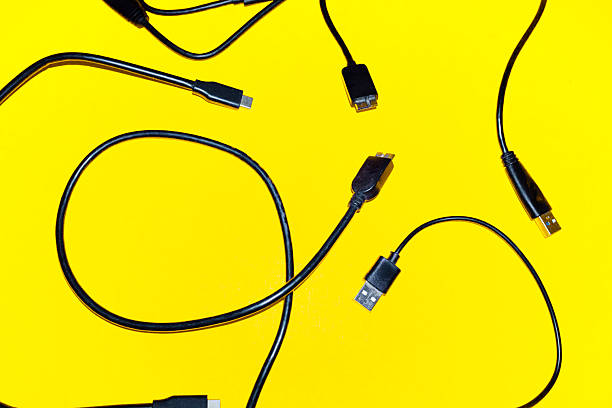
There is a catch, and it is the same catch that has plagued USB-C from the start: not every cable is equal. A cheap cable may charge your phone but fail when asked to carry video or fast data. The USB Implementers Forum has tried to fix this with clearer labels. You may see USB 80Gbps, USB 40Gbps, USB 20Gbps, USB 10Gbps, and USB 5Gbps. You may also see power ratings like 240W or 100W. Thunderbolt 5 cables have their own certification and logo. If you are buying a cable for a new dock or monitor, look for those labels. Buy from a brand that clearly states the speed and power. A certified cable costs more, but it saves you from the mysterious failures that make people think their laptop is broken.
You do not need to replace every cable and device today. If your current setup works, keep it. When you buy your next laptop, dock, monitor, or external drive, prioritize USB4 v2 or Thunderbolt 5. That will future-proof you for years. The one-cable future is not here for absolutely everything yet, and wireless still cannot match cables for speed, reliability, and power. But the gap is closing. The best upgrade is not more ports. It is smarter ports, better cables, and less clutter.