Your keyboard is probably grosser than you want to admit. Crumbs, skin cells, coffee mist, pet hair, and whatever that sticky spot near the space bar is have all moved in. The mouse has a shiny grease patch. Your monitor looks like a foggy window. You touch your gear every day, and your gear touches the world. Cleaning it is not about becoming a neat freak. It is about comfort, health, and vibe. A clean keyboard feels better under your fingers. A clear screen reduces eye strain. A mouse that glides smoothly keeps your wrist happier. Gear that lasts longer is gear you do not have to replace.
You do not need a lab coat or exotic chemicals. You need a few cheap tools and patience. Turn things off and unplug them. For wireless gear, remove batteries or power it down. Spray liquid onto your cloth, never directly onto the device. A slightly damp microfiber cloth is your best friend. Paper towels scratch and leave lint. Old T-shirts work in a pinch, but microfiber is worth a few dollars.
For keyboards, the first enemy is crumbs. Flip the keyboard upside down and shake gently. Do not bang it like a drum. If you have compressed air, use short bursts at an angle. For mechanical keyboards, a keycap puller makes deep cleaning easier. Pop off the keycaps, soak them in warm water with a drop of dish soap, and let them dry completely. While they dry, brush dust from the switches. For laptop keyboards, be gentler. You cannot safely remove most keys. Use a soft brush, short bursts of air, and a microfiber cloth barely damp with isopropyl alcohol. Do not pour alcohol on the keyboard. The goal is to lift grease, not give your laptop a bath.
Mice and trackpads collect hand oil that turns into a slick film. Wipe them with a microfiber cloth slightly dampened with isopropyl alcohol or a screen-safe cleaner. Pay attention to the scroll wheel and palm edges. If your mouse has a battery cover, open it and clean inside. For trackpads, skip abrasive cleaners. A dry cloth for daily smudges and a lightly damp one for weekly grime is enough. If your mouse feet feel scratchy, new mouse skates can make it glide like new for very little money.
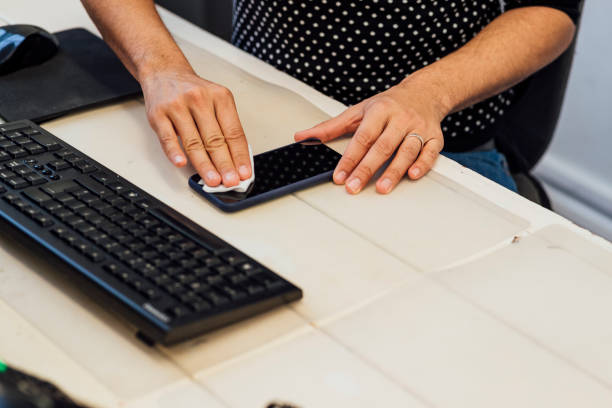
Monitors and phone screens need special care. Do not use glass cleaner with ammonia on a modern screen. It can damage anti-glare coatings. Use a microfiber cloth and, if needed, a tiny amount of distilled water or screen cleaner. Wipe gently, then use a dry part of the cloth to remove streaks. Turn the screen off first. For phone cases, remove the phone and wash the case with mild soap if the maker allows it. Clean charging ports with a dry soft brush or wooden toothpick. Never stick metal into a charging port. That is how a minor cleaning job becomes a repair bill.
Earbuds and headphones are comfort gear, but they get waxy. Wipe earbud tips with a dry cloth, then use a tiny bit of isopropyl alcohol on a cotton swab to clean the mesh. Do not push wax into the nozzle. If tips are removable, wash them with warm water and let them dry completely. For over-ear headphones, wipe the pads with a barely damp cloth and replace them when they flake. Flaking pads drop crumbs into your hair and make long listening sessions less comfortable.
Cables and chargers are forgotten dust magnets. Unplug them, wipe them down, and check for fraying near the connectors. If a cable is damaged, replace it. A cheap cable is not worth a fried port. Keep your desk dusted. Dust gets into vents, fans, and keyboards. Every few months, shut down your computer and blow out the vents with short bursts of air. If your desktop has intake filters, clean or replace them.
The real secret is not a marathon cleaning session. It is small habits. Keep a microfiber cloth near your desk. Wash your hands before long sessions. Do not eat over your keyboard. Cover your gear when you are away for a while. Once a week, spend five minutes wiping down what you touch most. Once a month, go a little deeper. Your devices will feel better, smell better, and last longer. You will feel better too, because a clean setup just has a better vibe.