When you decide to start streaming, the gear aisle can feel like a trap. Everywhere you look, someone says you need a four-hundred-dollar microphone, a mirrorless camera, a capture card, and enough RGB lighting to land a small aircraft. You do not. You need a setup that sounds clear, looks decent, and does not make you hate pressing the Go Live button. The rest can wait.
Audio matters more than video. Viewers will forgive a soft or slightly grainy picture, but they will click away from harsh, echoey, tinny sound in seconds. Your first goal is not studio-quality voice. It is intelligible voice. A cheap USB microphone from a known brand, placed close to your mouth, will beat an expensive microphone across the room. If your mic sits next to your keyboard, it will pick up every click and fan whine. Bring it within a fist’s distance, angle it slightly off-axis, and speak normally. If you have a noisy room, a dynamic microphone rejects more background sound than a condenser. Spend a little on a boom arm and pop filter before you spend a lot on a mixer.
Headphones are not optional. They keep game audio from leaking into your microphone and creating an echo that makes your stream sound like a bathroom. Closed-back headphones are the practical choice. You do not need studio monitors. You need to hear your own voice clearly enough to know when you are shouting or mumbling. Many streaming apps let you monitor your microphone, but do that only with headphones. Otherwise you create a feedback loop that will send viewers running.
Lighting is the next upgrade. A camera without light looks like a security camera in a power outage. You do not need a full lighting rig. One soft light in front of you, slightly above eye level, will make more difference than a new webcam. A window works if it is in front of you and not behind you. If you wear glasses, angle the light so it does not bounce straight into your lenses. A cheap LED panel with a diffuser is fine. Avoid putting a bare bulb behind you unless you want the mysterious silhouette look. Most viewers want to see your face.
Your camera can be simple. A modern phone, a decent webcam, or an older mirrorless camera will all work. The trick is framing and focus. Put the camera at eye level, not below your chin. Leave a little headroom. Make sure the background is not a laundry pile or a brightly lit doorway. For gaming streams, a smaller face cam in the corner is enough. For talking-head streams, a slightly larger frame helps. Do not buy a capture card until you actually need to bring in a game console or a second camera.
Your computer and internet connection are part of the gear, too. Streaming software like OBS is free and powerful, but it will not fix a weak Wi-Fi signal. If your stream drops frames, plug in an Ethernet cable before you blame your webcam. Close background apps. Set your stream resolution to something your upload speed can handle. A smooth 720p stream looks better than a stuttering 1080p stream. Start modest, then raise settings when everything is stable.
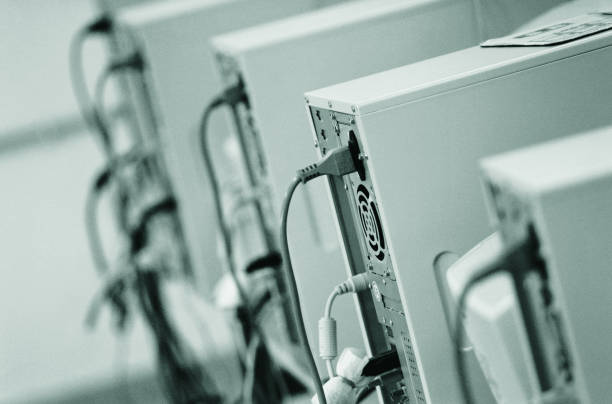
Comfort and style matter more than you think. You will sit in this chair for hours. A cheap lapel mic or headset mic can be a perfectly good starting point if it keeps your hands free and your voice consistent. Cable management is not just for looks. A tangled mess makes troubleshooting harder and makes it easier to knock something loose mid-stream. Use velcro ties, label your cables, and leave enough slack to move without yanking your microphone off the desk.
The best beginner streaming setup is the one you will actually use. Buy one good microphone, one pair of closed-back headphones, one simple light, and a way to mount your camera at eye level. Learn your software. Record test clips. Listen to yourself. Watch yourself. Adjust. Upgrade only when you know exactly what problem you are solving. That approach saves money, reduces frustration, and keeps the focus where it belongs: on the thing you want to share.