Most cables don’t die because they’re cheap. They die because they get treated like rope. You yank them, bend them, wrap them tight, leave them in hot cars, and shove them into bags with keys. The cable itself is usually fine; the weak spot is almost always the connector, where thin wires meet tiny solder joints. Change a few habits and you can double the life of the cables you already own.
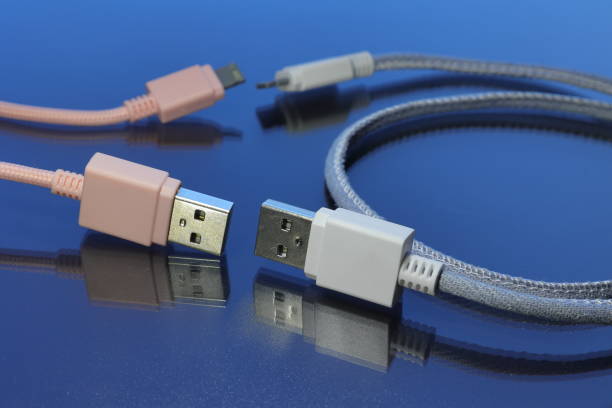
The fastest way to kill a cable is to unplug it by the cord. It feels natural, but every pull sends stress straight into the plug. The outer jacket stretches, the shielding breaks, and the tiny connections inside crack. At first the cable works if you wiggle it. Then it only charges at a certain angle. Then it stops. Instead, hold the connector housing—the hard part—and pull it straight out. If it feels stuck, wiggle gently side to side. For small connectors like USB-C and Lightning, use your fingernails on the plug, not the cable.
Bending is the second silent killer. Cables need slack where they leave the plug. If your laptop charger exits the side and immediately bends against a couch cushion or wall, that bend is working like scissors. Keep the first inch of cable as straight as you can. If space is tight, use a right-angle adapter or reroute the cable. The same goes for phone cables in your pocket. A hard fold at the connector is bad news.
Wrapping matters more than people think. Wrapping a cable tightly around a charger, battery bank, or your hand creates sharp bends and constant pressure. A better method is to coil it loosely, like a rope. Use the over-under technique: make a loop, then a reverse loop, alternating so the cable doesn’t twist. You don’t need to be perfect. Just avoid tight circles. Secure the coil with a Velcro strap. Twist ties and zip ties can pinch too hard. Never wrap the cable around the connector itself.
Heat is another quiet enemy. Cables don’t like hot cars, radiators, direct sun, or being buried under a blanket while your device charges fast. Heat softens insulation and stresses metal contacts. If a cable or connector feels unusually hot, unplug it. A warm charger is one thing; a hot cable is a warning. Cheap cables with thin wires heat up more easily. Store spares in a cool, dry place, not on a windowsill.
Dust and pocket lint can make a good cable seem broken. If your phone only charges when you hold the plug just right, the port may be packed with lint. Power off the device, then use a wooden toothpick or plastic pick to gently scoop out debris. Don’t use metal, and don’t jam anything deep into the port. For grimy cables, wipe them with a cloth lightly dampened with isopropyl alcohol. Never plug in a wet cable. Clean ports make solid connections, and solid connections run cooler.
Travel is where cables go to die. A loose cable in a bag gets crushed, bent, and tangled with keys. Use a small pouch or cable organizer. Wrap each cable in a loose loop and secure it. Don’t fold a cable in half and stuff it into a pocket. If you carry a laptop charger, don’t let the brick sit on the cable. Coil the cable separately, then tuck the brick beside it. At your desk, give cables room to breathe. Run them behind furniture with clips, but leave slack at both ends. Avoid chair wheels, desk edges, and drawer hinges. For monitor stacks and gaming setups, label cables so you don’t yank the wrong one. When you unplug a controller or headset, hold the plug.
Finally, know when to let go. Electrical tape is not a repair. If the outer jacket is cracked, if the connector is bent, if you see exposed wire, or if the cable only works when wiggled, retire it. A failing cable can damage your device’s port, and port repairs cost far more than a new cable. Buy a reputable replacement, but don’t baby it. Treat cables as tools. Coil them loosely, pull them by the plug, keep them cool and clean, and they’ll last long enough to be boring. That’s the goal.