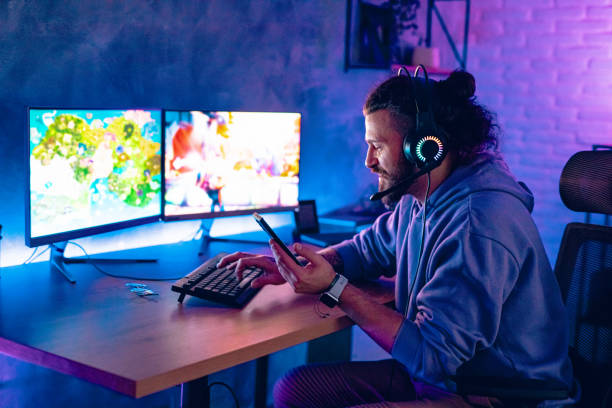
Your desk is where work, gaming, streaming, and scrolling all happen. It is also where you eat lunch, sip coffee, and snack while waiting for a download. That combination is normal, but it is hard on your gear. Keyboards, mice, trackpads, controllers, and phone screens are not built to survive crumbs, grease, condensation, or a full mug of tea. The answer is not to ban snacks. The answer is to build a snack-safe zone around your devices. You do not need fancy equipment. You need a few habits that keep fuel away from fragile parts.
Drinks are the biggest threat. Water is great, but an open glass next to a laptop is a disaster waiting for a sleeve, cable, or cat to make the wrong move. Use a bottle or tumbler with a lid you can actually close. A straw can help you sip without tipping, but a sealed bottle is safer. Put your drink on the opposite side of your mouse hand, and keep it off the same surface as your keyboard if possible. A small side table is ideal. If you must use a mug, use a coaster and keep it far from the keyboard. Never set an open drink above a laptop, especially if the laptop is on a stand. Gravity does not care about your deadlines. Hot drinks need a sealed lid, not just a lid that rests on top. Condensation counts as liquid too, so use a coaster or a cloth to protect the finish.
Snacks are the other quiet killer. Crumbs look harmless until they migrate under keycaps and into a scroll wheel. Greasy fingers leave a film on keys, mice, and touchscreens. Powdered snacks are worse because the dust travels. Choose foods that are low-mess and easy to eat with one hand or a fork. Apple slices, grapes, baby carrots, cheese cubes, jerky, and simple sandwiches are better than chips, popcorn, and powdered candy. If you love chips, pour a small portion into a bowl instead of eating from the bag. The bag rustles into your microphone, and reaching inside spreads oil and salt everywhere. Keep the bowl away from the keyboard, use a napkin underneath, and wash your hands before you touch your devices again. If you are on camera or in voice chat, mute yourself and step away for a bite. Nobody needs to hear crunching, and your keyboard does not need a snack.
Hydration and energy matter more than most people admit. Dehydration causes headaches, tired eyes, and slumped posture. Too much caffeine or sugar creates a spike and a crash that makes you sloppy. Water should be your default. If plain water is boring, add flavor drops, brew tea, or drink sparkling water. Keep a bottle within reach so you sip without thinking. For food, pair a little protein and fiber with your carbs. Nuts, yogurt, hummus, and fruit will hold you longer than a candy bar. That matters when you are editing video, grinding ranked matches, or staring at spreadsheets. A steady fuel supply keeps your hands steady and your patience intact. It also reduces the urge to graze all afternoon, which means fewer crumbs and fewer sticky keys.
Your setup can make or break this. If you eat at your desk often, use an inexpensive external keyboard and mouse. Save the expensive mechanical keyboard or laptop keyboard for clean hands. A desk mat catches crumbs and can be shaken out. A silicone keyboard cover can protect a laptop from small spills, but it can also trap heat and make typing feel mushy. For some people it is worth it. For others, a separate keyboard is better. Keep a small tray or lap desk for snacks so food has its own place. Manage cables so you do not snag a drink when you move. If you have pets or kids, use containers with lids. Keep a microfiber cloth and a keyboard brush nearby. A quick shake and wipe takes seconds. A sticky space bar takes an evening to fix.
Cleaning should be simple and regular. Every day, close your drinks, shake crumbs off the desk mat, and wipe your mouse and trackpad. Every week, brush out the keyboard and wipe keycaps with a lightly damp cloth. Never soak a keyboard. If you spill, unplug it immediately and turn it off. Tip it to drain, blot what you can, and let it dry for at least a day or two. Do not use rice; the dust is bad for electronics. If the spill was sugary or sticky, you may need isopropyl alcohol on a cloth or cotton swab, but do not pour liquid into the keyboard. Sometimes the honest answer is that a cheap external keyboard is easier to replace than to rescue. That is not failure. That is practical.
Comfort is not just about chairs and wrist rests. It is also about creating a desk where you can relax, refuel, and focus without treating your keyboard as a plate. Keep drinks sealed, snacks contained, hands clean, and gear protected. Then you can enjoy the coffee, the chips, and the long session without turning a small mess into a big repair.