A multi-device household is not really a technology problem. It is a logistics problem. Between phones, tablets, laptops, e-readers, handheld consoles, smart watches, wireless earbuds, and forgotten MP3 players, your home becomes a small airport with too few gates and too many charging cables. The fix is not buying more gadgets. It is setting up simple systems so every device has a place to charge, a way to connect, and a backup plan that does not depend on one person remembering everything.
Start with power. Count the devices that need charging daily and notice their ports. Most modern phones, tablets, laptops, and earbuds charge over USB-C, but some older devices still use Lightning or micro-USB. Instead of a drawer full of mystery bricks, buy one or two good multi-port chargers. Gallium nitride chargers are smaller and cooler, and a 65-watt or 100-watt model can power a laptop, tablet, and phone at once. Put the highest-power charger where laptops live, and use a smaller one by the bed. Keep a charging station in the kitchen or hallway for phones and tablets, and make it a habit that devices sleep there overnight.
Cables are the real household currency. Buy cables in a few colors or label them with tags. Assign one color per person or device type. Use velcro ties and wrap cables loosely so the wires do not crack. Look for USB-IF certified cables and check wattage for laptops. A cheap 18-watt cable will charge a phone fine but may barely keep a laptop alive. Keep a short cable in every travel bag and a long cable near the couch. The goal is not a perfect cable museum. It is that any common-area cable can charge most devices without a scavenger hunt.
Wi-Fi is the next pressure point. When several people stream, game, and video call at once, a router stuffed in a closet will struggle. Put the router or main mesh unit in a central, open spot. Use the faster 5GHz or 6GHz bands for laptops, consoles, and TVs near the router, and leave 2.4GHz for smart bulbs, printers, and older gadgets. If some rooms are dead zones, a mesh system is easier than running cables. Set up a guest network for visitors and a separate network for smart home devices. Change the default admin password, turn on automatic firmware updates, and do not hide the router in a metal cabinet.
Accounts need organization too. Give each person their own Apple ID, Google account, or Microsoft account, then use family sharing for subscriptions, storage, and purchases. Do not make everyone share one login. That mixes up messages, backups, photo libraries, and location sharing, and it makes password changes a group crisis. Use a password manager with a shared family vault for streaming services, Wi-Fi passwords, and smart home apps. Create profiles on streaming services so recommendations do not turn into a civil war. For kids, set up child accounts with limits instead of handing over your admin account.
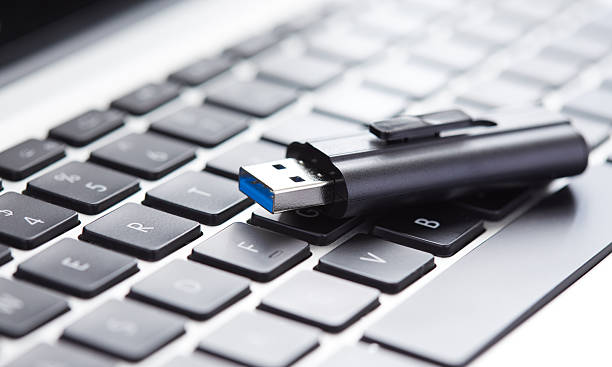
Storage and backup should be boring. Pick one main cloud service, then let it sync. Use network attached storage or an external SSD for media libraries, game captures, and family videos. Turn on automatic phone and laptop backups, and test a restore sometimes. A backup you have never tried to restore is just a hopeful pile of files. Keep dongles and drives in a labeled pouch. A USB-C docking station or monitor with a built-in hub can turn one cable into power, display, Ethernet, keyboard, and mouse. That single connection cuts clutter and makes switching between work and home feel instant.
Bluetooth is the invisible roommate. Rename devices: “Maya’s iPhone” instead of “iPhone.“ If your headphones support multipoint, connect them to both a phone and a laptop so you can switch without repairing. If not, learn the unpair-and-repair routine. Keep charging cases in one spot. A keyboard and mouse that switch between computers, or a cheap KVM switch, can let one desk serve multiple machines. Once a month, update devices, delete old downloads, and check backups. Once a year, replace frayed cables and review subscriptions. With a few simple systems, a multi-device household stops feeling like chaos and starts feeling like a well-run little network.