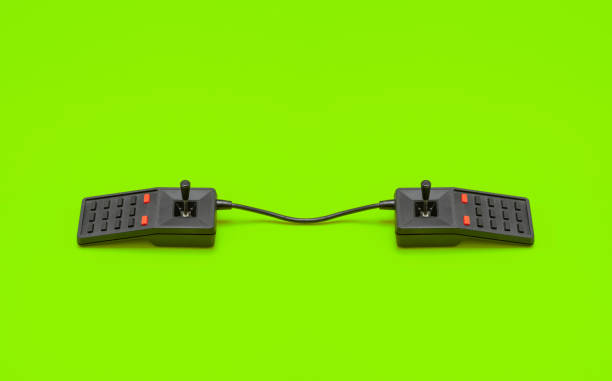
There is a reason an old Super Nintendo pad feels right in your hands. Retro controllers were not designed to be all things to all people. They were built around a few simple ideas: press a button, get a response, and don’t make the player think about the hardware. Modern controllers do far more, with touchpads, gyroscopes, adaptive triggers, and enough buttons to run a spaceship. But that extra power can get in the way. If you want to get more out of retro games, you do not need to be technical. You just need to understand what makes these controllers work, what to avoid, and how to connect them to the screens you already own.
The magic is tactile. A good D-pad clicks. Face buttons have a clear spring. Shoulder buttons stop when they should. Because every input is physical, your thumb learns by feel. You can play without looking down. That matters in fast games. Platformers, fighting games, shoot-’em-ups, and puzzle games were designed around limited inputs, so the challenge came from timing and precision, not from memorizing a dozen shoulder combinations. A retro controller puts that simplicity back in your hands. It is not nostalgia alone. It is good design.
Not every old controller is comfortable. The Nintendo 64 trident pad tortured plenty of hands, and the Dreamcast controller was an acquired taste. But the best ones still hold up. The SNES pad, the six-button Genesis controller, the Sega Saturn pad, and the GameCube controller all have loyal fans for good reason. Their button layouts match the games they were made for. If you play emulated games, match the controller to the console when you can. You can remap anything, but muscle memory is real. A six-button pad makes Genesis fighting games feel correct. A GameCube controller makes Smash Bros. feel like home.
Connecting retro controllers to modern devices is easier than it used to be. For a nontechnical setup, buy a USB adapter made for your specific controller. Plug it into a PC, Mac, or Raspberry Pi. Open your emulator, map the buttons once, and save the profile. For original hardware, use the original controller on the original console, ideally with a CRT or a good upscaler. For modern convenience, companies like 8BitDo, Retro-Bit, and Hyperkin sell modern versions of classic pads with USB, Bluetooth, and wireless dongles. Some add turbo, home buttons, and macros. That can be handy, but cheap clones often ruin the feel with stiff D-pads, bad diagonals, and mushy buttons. Original first-party controllers are often better, though prices keep climbing.
Latency is worth understanding, but do not obsess. Wireless is usually fine for casual play. Bluetooth adds a little delay, and most people never notice. For competitive retro games, wired USB or a 2.4GHz dongle is safer. Before you blame the controller, check your TV. Game mode and disabled post-processing fix more lag than any adapter. Emulator run-ahead can help, but it can also cause visual glitches. Start with the simple stuff.
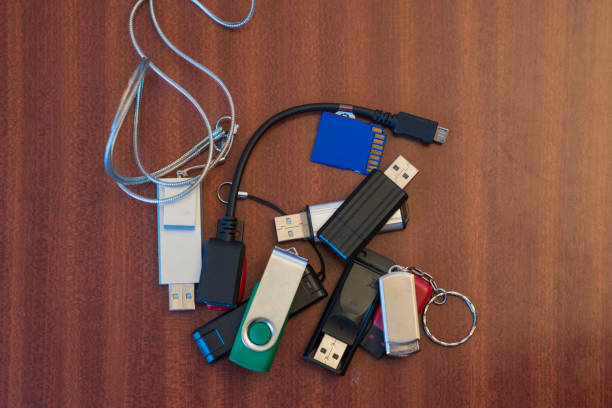
Care and repair go a long way. Sticky buttons often just need cleaning. Isopropyl alcohol and a cotton swab can revive a crusty controller. Worn rubber membranes are cheap and easy to replace. Analog sticks drift, but hall effect replacement modules exist if you can solder. Store controllers away from sunlight, heat, and moisture. Do not wrap cords tightly around the body, because the copper inside can crack. Remove batteries from unused wireless pads so they do not leak. If you have a pile of adapters and dongles, label them and keep each one with its controller. A simple USB hub can turn a messy desk into a usable retro station.
Modding is optional. You can add Bluetooth to an original controller, swap in a USB-C battery, or install hall effect sticks. That can make old hardware feel new. But modding also changes the original experience. If you want pure nostalgia, restore a first-party pad and leave it alone. If you want convenience, buy a modern retro-style controller. There is no wrong answer. The best controller is the one you forget you are holding.
Retro gaming controllers are not just old plastic. They are a reminder that good design does not need a manual. They teach you to value response, comfort, and clarity. Whether you play on a CRT, a laptop, or a handheld emulator, a familiar pad can make old games feel immediate again. Start with one good controller, one adapter, and one favorite game. You will know within minutes if it clicks. If it does, keep it. If it does not, try another. The joy of retro peripherals is that they invite you to play, not configure. That is why they still matter.