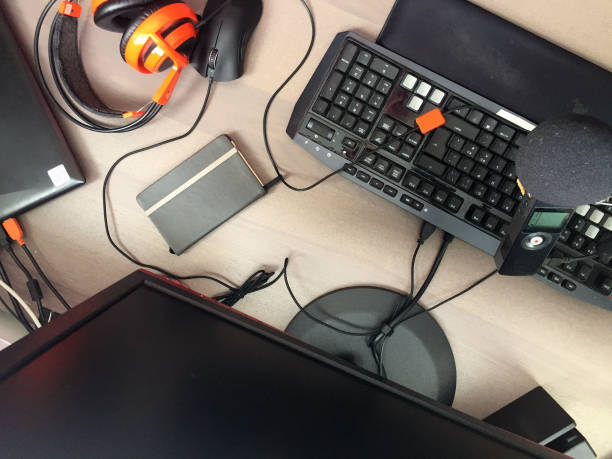
If you spend hours with a keyboard, mouse, phone, tablet, or controller, your body quietly adapts to that shape. Shoulders roll forward. Neck juts toward the screen. Wrists bend at odd angles. Fingers stay curled around a mouse or gamepad. None of this is dramatic in the moment. Over weeks and months, it becomes the way you feel: tight, achy, restless, and strangely tired even though you have been sitting still. Stretching is not gym class nostalgia. It is basic maintenance for people who live through screens.
The trick is to make it small enough that you will actually do it. A two-minute reset once an hour works better than a heroic thirty-minute routine you avoid. Attach it to something that already happens. When a meeting ends, when a level loads, when an episode pauses, when you stand up for water, do the reset. Set a timer if you need to. Name it something blunt like unclench. Your memory is not the problem. Your habits are.
Start with your face and eyes, because screens make those muscles work overtime. Let your jaw hang open for a moment. Put your tongue on the roof of your mouth and breathe slowly. Blink deliberately several times. Look at something far away, ideally twenty feet or more, for twenty seconds. Roll your eyes gently in circles, then reverse. You are not trying to look relaxed. You are giving tiny muscles a chance to stop gripping.
Then move your neck without being a hero. Imagine a string lifting your head. Turn slowly to one side, pause, return. Do the other side. Tilt one ear toward one shoulder, keeping the opposite shoulder down. Feel the side of your neck stretch, not a pinch. Roll your shoulders backward. Squeeze your shoulder blades together, then release. This is the antidote to hunching over a keyboard.
Open your chest and upper back next. Stand in a doorway, place your forearms on the frame, and step through gently until you feel your chest widen. If that feels like too much, clasp your hands behind your back and lift them slightly. For your upper back, sit or stand tall, put your hands out like you are holding a steering wheel, and turn slowly to one side. Hold, breathe, and switch. These moves remind your body that forward is not the only direction.
Your hands and wrists deserve attention. Mouse hand and typing hand both get stiff. Spread your fingers wide, then make a soft fist. Circle your wrists both ways. Press your palms together and lower your hands until you feel your forearms stretch. Turn one palm up, straighten the arm, and gently pull the fingers down with the other hand. Turn the palm down and repeat. Shake your hands out. If tingling does not go away, do not stretch through it. Fix your setup and talk to a professional.
Stand up for your lower body. Sitting shortens hip flexors, hamstrings, and calves. Step one foot back, keep the heel down, and lean slightly forward to stretch your calf. Switch sides. Do a few slow calf raises. For your hip flexors, step one foot forward into a small lunge, tuck your tailbone under, and feel the front of the back hip open. Switch. Finish with gentle spine movement. Hands on knees, arch and round your back slowly. Reach one arm overhead and lean to the side. Twist gently left and right.
Stretching alone will not save you. Your body wants variety. Every half hour, change position. Stand for a call. Walk while you scroll. Put your phone across the room. Use a smaller water bottle so you get up more often. During loading screens, roll your shoulders. These micro-movements add up.
Setup still matters. A monitor at eye level, keyboard close, elbows near ninety degrees, mouse beside the keyboard, phone held up rather than down, controller gripped loosely. But no setup is perfect forever. The best posture is your next posture. Keep moving. Keep it mild. Breathe. If you have pain, numbness, dizziness, or an injury, get medical advice. Otherwise, give yourself two minutes. Your future self will thank you.