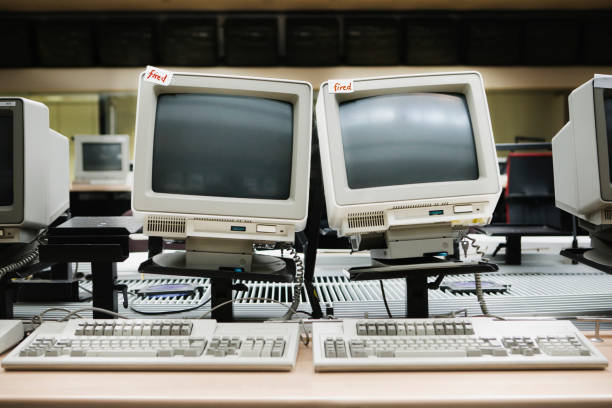
People still haul heavy beige boxes home from thrift stores for a reason. A CRT monitor is not just an old screen. It is a different way of making a picture. Instead of lighting fixed pixels, a CRT fires electrons at phosphor dots or stripes inside glass. The beam sweeps across the screen, line by line, faster than your eye can follow. The glow fades almost instantly, which is why motion looks so clean. That analog dance is the CRT’s strange magic and its quirks.
For retro games, CRTs solve problems that modern flat panels create. Old consoles were designed for standard-definition displays. They output 240p or 480i, and a CRT is happy to show that. On a modern TV, the same signal gets scaled and delayed. You see blur, jagged edges, and input lag. On a good CRT, the image snaps into place. The famous scanlines are not a filter. They are the gaps between picture lines, and they give pixel art a solid, almost printed look. Colors bloom gently. Blacks are true black because the phosphor is off. Motion clarity is still impressive, especially on PC CRTs at high refresh rates.
That does not mean every CRT is a treasure. Many are worn out, dim, or misaligned. Geometry can be bowed. Convergence can be off, causing colors to separate at the edges. Some whine at a frequency younger ears notice more than older ones. They are heavy, hot, and hungry for power. They can hold dangerous voltage even after being unplugged. If you are not experienced with electronics, do not open one. Enjoy it from the outside, or find a repair person who knows CRT safety. A little caution keeps the nostalgia fun.
If you want to get into CRTs, think about what you need. A small TV with composite or S-video inputs is great for NES, SNES, Genesis, and PlayStation. A consumer set with component inputs is even better for GameCube, Wii, and original Xbox. If you fall down the rabbit hole, you might hunt for an RGB monitor. Those are sharp, adjustable, and expensive. PC CRTs are a different beast. They can display modern resolutions at high refresh rates, and many retro PC games look incredible on them. You can connect a modern PC with an HDMI-to-VGA adapter, but check reviews. Cheap adapters can add lag or refuse unusual resolutions. For consoles, upscalers are great for modern screens, but they are not a CRT.
Part of the appeal is the ritual, not just image quality. You press a chunky power button. The screen degausses with a thunk. A high-pitched whine warms up. The plastic smells like a 1990s computer lab. You adjust brightness and contrast with knobs or a cryptic menu. The curve of the glass wraps the image around your vision. A CRT makes a game feel like an object, not just a file. For content creators, that look is useful. Filming a CRT can add atmosphere to a video, but match your camera shutter speed to the refresh rate to avoid dark bands. Light the room carefully, because glass reflects everything.
You do not have to choose between nostalgia and convenience. Use emulators with good CRT shaders when you want a quick fix. Keep a real CRT for games and movies that deserve it. Keep it dusted and ventilated, and never set it face down on hard surfaces. If the picture looks dim, check brightness and contrast before calling it dead. If you buy one, test it in person with a device and cable. Look for uneven colors, burn-in, and a stable image. Ask if it has been recapped, but do not expect a yes. A cheap CRT can be a wonderful score. A free one on the curb can be a trap. The best approach is patient and practical. You are not collecting junk. You are preserving a display technology that still does a few things better than anything today. And when the right game appears on that glowing glass, you will understand.