Your phone is a tiny computer that makes calls. It holds photos, messages, contacts, passwords, health data, game saves, work files, and the layout of apps you have perfected. If it falls in a lake or gets stolen, you lose more than a device. You lose years of digital life. Most people know this and still do nothing. You do not need a huge cloud plan or server jargon. You need a simple backup habit that works.
Cloud storage is convenient, but it is not a complete backup. It is syncing. Delete a photo on your phone, and the cloud often deletes it too. Edit a document, and the new version replaces the old one. Sync is great for access, but it copies mistakes as fast as memories. Cloud plans get expensive, and they depend on internet. A local backup is your safety net.
The core of a no-nonsense phone backup is a computer and a cable. For an iPhone, plug it into a Mac or Windows PC, open Finder or Apple Devices, and choose to back up all data to this computer. Use encryption unless you want to lose saved passwords and health data. For Android, plug in, unlock, and set USB mode to file transfer. Copy the folders that matter, especially DCIM for photos and videos, Downloads, Documents, and any camera or messaging folders. Samsung phones can use Smart Switch. Google Pixel and others can use Google One, but still copy raw files to a drive you own. Tablets follow the same rules.
What should you back up? Start with what cannot be replaced. Photos and videos are usually number one. Then messages, contacts, calendars, notes, voice memos, and app data for games or creative tools. Settings are nice, but not the end of the world. Protect the irreplaceable stuff first. You do not need every temporary file. You need the memories, conversations, and documents that would make you sick if they vanished.
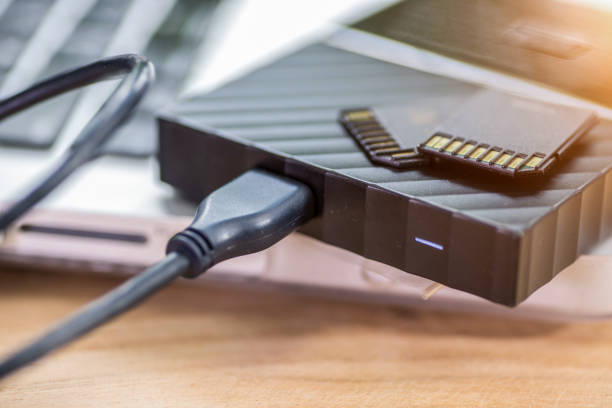
A good backup follows a simple idea: three copies, on two different kinds of storage, with one copy somewhere else. Your phone is copy one. An external SSD or computer is copy two. A cloud account, a drive at a friend’s house, or a safe deposit box is copy three. You do not have to do all three on day one. Just do not let your only copy live in the same pocket as your phone. External SSDs are fast and cheap. USB flash drives are fine for photos. A labeled drive in a drawer is better than a perfect plan you never start.
If you use cloud storage, treat it as a second copy, not the only copy. Automatic photo upload is handy, but do not assume it covers messages or app data. Download your cloud data to a local drive occasionally. That way, a forgotten password or billing problem never locks away your memories.
Security matters. If you back up to a computer, use an encrypted backup when possible. If you copy files to an external drive, consider encrypting it, especially if it leaves home. Write down your password somewhere safe, because an encrypted backup with a forgotten password is a paperweight. For cloud backups, turn on two-factor authentication. Do not upload sensitive documents to a random free service just because it has a friendly logo.
Finally, test your backup. A backup you have never restored is a hope, not a plan. Every few months, open your backup on the computer and check that recent photos, a message thread, and a document actually open. Try restoring one photo to your phone. It takes five minutes. That tiny test is the difference between confidence and a very bad surprise.
You do not need to be a nerd to do this. You need a cable, a drive, and a monthly reminder. Set aside ten minutes on the first weekend of each month. Plug in your phone, start the backup, wait for it to finish, and unplug. Keep one drive at home and one somewhere else if you can. The cloud can be part of your plan, but it should not be the whole plan. Your phone is a tiny computer. Treat it like one, and your files will survive the next drop, splash, or upgrade.