Long computer sessions don’t have to end with a stiff neck, sore wrists, and a back that feels like a bent paper clip. You don’t need a fancy standing desk or a degree in biomechanics. You need a few adjustments, a timer, and the willingness to move before your body complains. Ergonomics for long sessions is less about one perfect pose and more about changing positions, supporting tired parts, and making your setup fit you.
Start with your chair and desk. Sit all the way back so the chair supports your lower back. Your feet should rest flat. If they dangle, use a footrest, a stack of books, or a sturdy box. Your knees should be around hip height, not jammed toward your chest. Pull close enough that your elbows stay near your sides when you type. If you have to reach forward, your keyboard is too far away. Your wrists should be straight. A wrist rest can help between typing bursts, but it is not a pillow for constant pressure.
Laptop users have a special problem: the screen and keyboard are married, but your eyes and hands want them in different places. Raise the laptop screen with a stand or stack of books so the top is near eye level. Then add a separate keyboard and mouse. This one change fixes the classic hunch. Your monitor should be about an arm’s length away, top at or slightly below eye level. If you wear glasses, make sure your prescription is current. Squinting pulls your head forward, and that tension travels down your neck and shoulders.
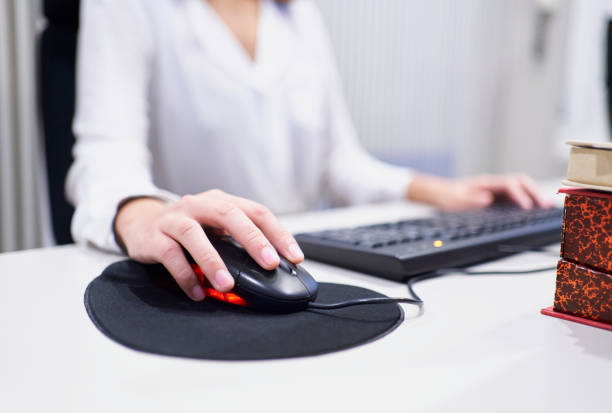
Your mouse matters more than you think. Keep it close to your keyboard so you are not reaching across the desk. A mouse that is too small, flat, or far away can make your hand claw up. If you feel a pinch, try a vertical mouse, a trackball, or a wider keyboard with a negative tilt. You don’t need to buy everything at once. Borrow or test cheap options first. The best peripheral lets you relax your grip and keep your wrist neutral.
The real secret to long sessions is movement. Set a timer for every thirty minutes. When it goes off, stand up, even for twenty seconds. Look far away for twenty seconds to give your eye muscles a break. Roll your shoulders back and down. Turn your head slowly. Open and close your hands. Stretch your forearms by turning your palms up and gently pulling your fingers back. These microbreaks feel tiny, but they add up. They keep blood moving and stop one position from becoming a mold.
If you game or work from a couch, the same rules apply, just softer. Use pillows to support your lower back and raise your laptop or tablet. Put your feet on an ottoman so your hips are not dumped backward. If you use a controller, keep your elbows near your ribs and your wrists relaxed. Don’t death-grip. A lap desk can help, but only if it lets you keep your neck straight. For console gaming, sit where you are not craning forward. The TV should be at eye level when you are comfortably reclined.
Mobile devices are the hidden ergonomic trap. Holding a phone low and staring down is like putting your neck in a slow-motion vise. Bring the phone up to eye level, use both hands, and support your elbows. A tablet stand and Bluetooth keyboard can turn a tablet into a decent workstation without neck pain. Text claw is real. If your thumbs ache, type in short bursts, use voice dictation, or switch to a keyboard.
Lighting and temperature shape tension. Match screen brightness to the room, add bias lighting, and avoid cold hands. Drink water.
Finally, listen to your body. Soreness after a long day is common. Numbness, tingling, sharp pain, or weakness is not something to push through. Adjust your setup, take more breaks, and see a professional if symptoms persist. The goal is not to be rigid. The goal is to make long sessions feel sustainable. The best posture is your next posture, so keep changing it.