A great desk setup doesn’t require a trust fund. It requires knowing which parts actually make your day better and which parts are just shiny. For students and home office folks, the best deals usually come from last year’s models, business castoffs, open-box returns, and student discounts. You can build a fast, comfortable workspace for a few hundred dollars if you spend where your hands, eyes, and back spend the most time.
Start with the monitor. It is the biggest visual upgrade you can make. A used or refurbished 24-inch 1080p IPS monitor from Dell, HP, Lenovo, or LG often costs less than a new no-name screen. If you want more room for papers and spreadsheets, a 27-inch 1440p monitor is the sweet spot. Don’t pay extra for 4K unless you do photo or video work. Look for height adjustment, VESA mounting holes, and HDMI or DisplayPort. Business monitors are built to last and often carry good warranties. Check manufacturer refurbished stores and university surplus sales. A $90 office monitor can beat a $200 gaming monitor for reading and writing.
Next, think about what you touch. A cheap keyboard and mouse can make you hate your computer. A basic wired keyboard is fine, but a comfortable one is worth $30 to $50. If you type all day, a budget mechanical keyboard with quiet switches can be a joy, though a good membrane keyboard is quieter and cheaper. For mice, fit matters more than DPI. A mid-range Logitech or Microsoft mouse with a comfortable shape and reliable scroll wheel will serve you better than a flashy gamer mouse. Student discounts from major brands are common, and bundles often drop the price further. If you game, spend on a wired mouse and a keyboard with anti-ghosting, but skip the RGB tax unless you truly want it.
Audio and video are where home offices fall apart. Laptop microphones pick up every keyboard clack and fan whine. A $30 to $50 USB microphone or a wired headset with a boom mic will make you sound clear on calls and recordings. For video, a 1080p webcam at 30 frames per second is plenty for most classes and meetings. Lighting matters more than resolution, so put a lamp in front of you, not behind you. If your laptop camera is decent, use it and spend the money on light instead.
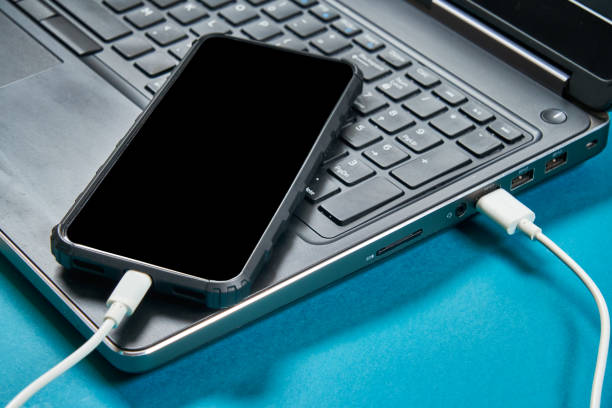
Docking and storage are the unglamorous heroes. A good USB-C hub or dock lets you connect a monitor, keyboard, mouse, and charger with one cable. Avoid no-name docks that run hot and drop connections. Anker, Plugable, and CalDigit hubs are safer, especially if they have their own power supply. For backup, every student should have at least one external drive. A 1TB portable SSD often goes on sale for $60 to $100, and a 2TB hard drive can be even cheaper. Use cloud storage for current files, but keep a local backup for big projects and photos. One copy is not a backup. Two copies in different places is better.
Comfort and style matter more than specs. An open-box ergonomic chair, a footrest, and a monitor at eye level will do more for your productivity than a faster processor. A laptop stand plus an external keyboard turns a cramped laptop into a real workstation. Cable ties, a power strip with surge protection, and a small drawer for dongles keep chaos away. You can find deals on chairs and desks through office liquidations, Facebook Marketplace, and dorm move-out sales. Measure your space before you buy, and check return policies. A deal is not a deal if it hurts your back or doesn’t fit.
The best strategy is simple. Set price alerts on the few items you actually need. Check refurbished and open-box sections before buying new. Use student verification for discounts. Buy last year’s model when the new one arrives. Don’t wait forever for a mythical perfect sale, because a reliable $80 monitor today beats a $50 monitor that never appears. Spend on your monitor, chair, keyboard, mouse, and backup drive. Save on cables, RGB, and bleeding-edge specs. Upgrade one piece at a time, keep your receipts, and enjoy a workspace that works as hard as you do.