Audio cables are the quiet workhorses of every setup. They carry sound from your phone, computer, console, turntable, or microphone to speakers, headphones, or a mixer. When they work, you ignore them. When they fail, you get hum, crackle, silence, or a channel that cuts out when you move. You do not need an engineering degree to choose the right one. Just know what the cable is doing and where it is going.
The first split is analog versus digital. Analog cables carry a changing electrical voltage that mimics the sound wave. Headphone, RCA, and instrument cables are analog. Because the signal is continuous electricity, it can pick up interference from power supplies, Wi-Fi routers, and motors. Digital cables carry audio as data, usually ones and zeros. Digital signals are more forgiving over distance, and a cheap digital cable that meets the spec sounds as good as an expensive one.
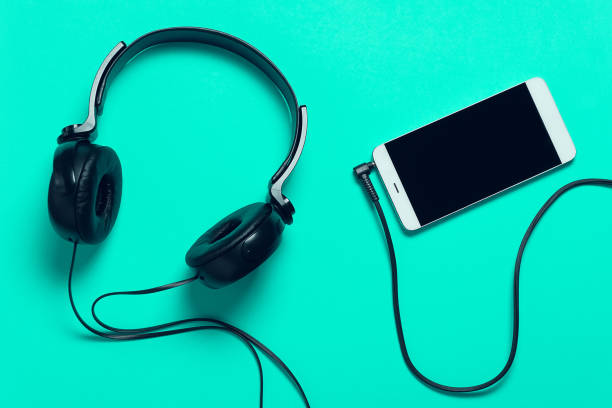
Next, look at the connector. The tiny 3.5mm plug is on most headphones, earbuds, and portable speakers. A quarter-inch plug is the bigger version used by guitars, mixers, and studio headphones. RCA plugs come in pairs, red for right and white or black for left. USB-C is the wild card, handling audio, charging, and data through one port. Before buying, look at the ports on both ends. An adapter can solve problems, but it should fit snugly, not wobble.
One term that scares people is balanced versus unbalanced. An unbalanced cable, like a typical RCA or headphone cable, has one signal wire and one ground. It is fine for short runs in a normal room. A balanced cable, like an XLR or quarter-inch TRS, carries the signal twice with opposite polarity. The receiving device flips one copy and cancels noise that crept in. That is why long microphone runs use XLR. For a two-foot run from laptop to speaker, unbalanced is fine.
Shielding is the unsung hero. A good analog cable has a foil or braided metal layer around the signal wires. That layer blocks outside electrical noise. Cheap cables may have thin shielding, which is why they hum near a power brick. Avoid the dollar-bin cable that feels stiff and fragile. Look for strain relief where the plug meets the cable. That sleeve prevents internal wires from breaking when you yank the cable off your desk.
Length matters. Analog signals get weaker and noisier as cable length increases. If you need twenty feet, consider balanced cable or a powered extender. For digital, keep the cable within the standard limit for its type. A too-long HDMI or USB cable can cause dropouts, not better sound. Do not coil cables tightly around sharp corners. Loop them loosely and use a velcro tie.
Mobile devices made audio both easier and messier. Many phones no longer have a headphone jack, so you might use a USB-C or Lightning adapter. Some adapters include a tiny digital-to-analog converter, often called a DAC. If your headphones sound quiet or scratchy through an adapter, the adapter may be the weak link. A simple dongle from a known brand can fix it. Bluetooth adds convenience but also compression and latency. For critical listening, a cable is still the most reliable path.
When audio problems strike, troubleshoot the cable first. Swap it with one you know works. Try a different port. If you hear hum only when a laptop charger is plugged in, you may have a ground loop. An isolator can help. If one channel is missing, the plug may not be seated all the way. If you hear crackling when the cable moves, the cable is dying. Replace it before it fails during a meeting or movie night.
The bottom line is simple. Match the connector, choose the right cable type for the job, and buy decent build quality without chasing magic. Analog cables benefit from good shielding and sensible length. Digital cables either work or they do not. Keep a few spares in a drawer, label the ones behind your desk, and treat connectors with respect. Your setup will be easier to live with.