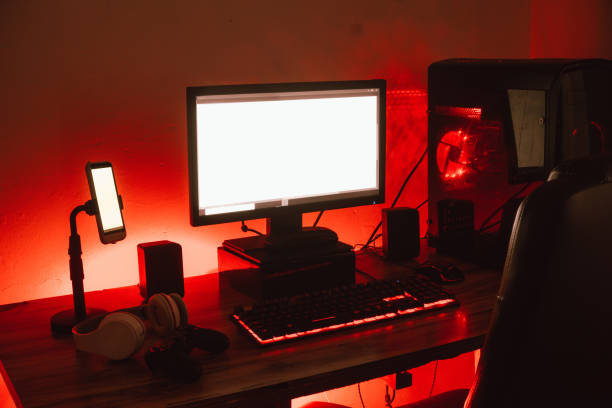
Bias lighting is a fancy name for a simple trick: put a soft glow behind your TV or monitor. It is not meant to light the room. It softens the harsh contrast between a bright screen and a dark wall. When you watch in a pitch-black room, your eyes constantly adjust between the picture and the shadows around it. That is why your eyes feel tired after a long movie or late-night gaming session. A strip of LEDs behind the screen makes the experience calmer and more comfortable. It costs little and takes about half an hour. No tools or landlord permission required.
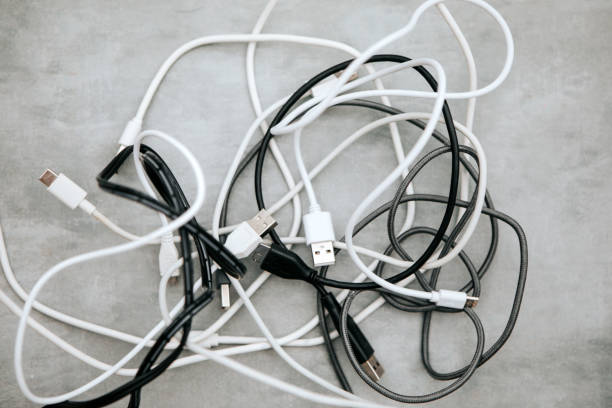
The shopping list is short. You need an LED strip, a way to power it, and something to stick it with. For a TV, a USB-powered strip is usually enough because many TVs have a USB port that turns on and off with the screen. For a monitor, the same trick works if it has a USB port. If not, use a phone charger. Look for a dimmable strip. Brightness control matters more than color. A fixed, blinding strip is worse than no strip. For the most natural look, choose neutral white around 6500K. That matches most screens and helps colors look correct. If you want fun colors, get an RGB strip, but use white most of the time.
Installation is simple, but patience pays off. Clean the back of your TV or monitor with an alcohol wipe. Dust and fingerprints are why adhesive strips fall off. Test the strip before you peel the backing, and make sure every section lights up. Then attach it around the inside edge of the back panel. Aim the LEDs toward the wall, not your eyes. On a TV, go around all four sides if you can. On a monitor, the top and sides are enough. The bottom edge can reflect off a glossy desk and create glare. Keep the strip a couple of inches in from the outer edge. If it is too long, cut only at the marked copper pads. Kits with connectors let you turn corners without folding sharply.
The hardest part is setting the brightness correctly. Most people crank it up because it looks cool. That defeats the purpose. The glow should be subtle, roughly ten percent of your screen brightness. You should barely notice it when the screen is bright, but it should keep the wall from turning into a black void during dark scenes. If you can see individual LED dots, the strip is too close, too bright, or too cheap. A diffuser channel or a COB strip can smooth out hotspots. For color, stick to neutral white for movies and serious work. Saturated blue or red light can change how you perceive colors. Save the rainbow effects for showing off.
The benefits go beyond looking nice. Bias lighting reduces eye strain, especially at night. It can help with headaches and dry eyes. It also makes dark scenes easier to watch because your pupils do not have to keep adjusting. For content creators, it is a quiet productivity upgrade. Editing in a completely dark room makes it hard to judge black levels and color balance. A dim bias light gives your eyes a reference point. For gamers, it means less fatigue. For movie lovers, it means you can keep the room dark enough for atmosphere but still see your snacks.
If you want to make it a project, there are easy ways to level up. Add a smart plug so the lights turn on with your TV routine. Use a USB splitter if your TV port is taken. Route the cable with velcro ties so it does not dangle. If your strip has an app, set a scene for movie night and another for gaming. A motion sensor is fun for a desk setup, but that is a different rabbit hole. The main goal is comfort, not a disco.
Avoid common mistakes. Do not stick LEDs to textured wallpaper if you might move the TV. Do not buy a strip just because it is cheap; check reviews for flicker. Do not ignore cable management. Start with a basic white USB strip. Set it low. Enjoy the upgrade. Then decide if you need more.