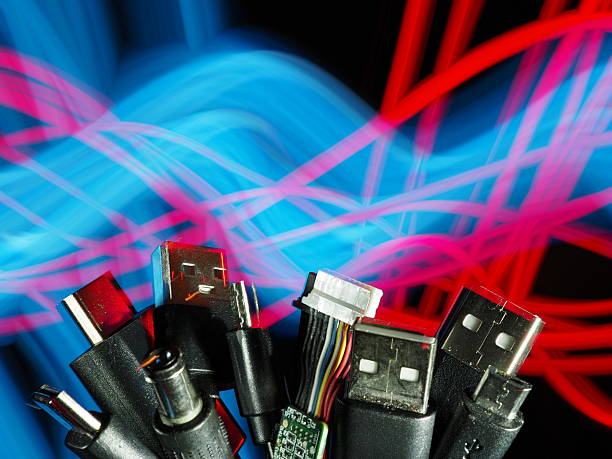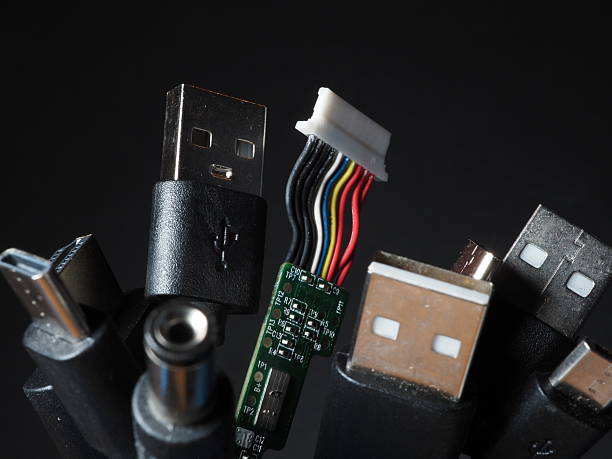
Cables are the least glamorous part of any setup. Nobody brags about a USB-C cable, but when one fails, everything stops. Your phone will not charge. Your monitor flickers. Your backup drive disconnects. Most cable deaths are preventable. You do not need to be an electrician. You just need to stop treating cables like disposable junk and start treating them like tiny mechanical tools.
The fastest way to kill a cable is to unplug it by the cord. That force travels into the connector and the solder joints inside. Over time, the cable looks fine while the inside is cracked. Always grab the hard connector and pull straight out. This goes for phone chargers, HDMI cables, USB drives, and power bricks. If a plug is stuck, wiggle it gently instead of yanking harder.
Bending is the next silent killer. Every cable has a limit to how sharply it can bend before copper strands break. The most dangerous spot is where the wire meets the connector. Wrapping a charging cable tightly around a power adapter is a classic mistake. Instead, coil cables loosely in loops about the size of your open hand. Use velcro ties, silicone ties, or soft wraps. Avoid twist ties, zip ties, and rubber bands, which can crush the cable or leave dents.
Heat and sunlight are quiet enemies. High temperatures soften insulation and weaken adhesives. Leaving a cable on a dashboard in summer, behind a radiator, or under a hot laptop can shorten its life. Direct sunlight makes plastic brittle over time. Physical pressure matters too. A cable under a rug, behind a desk chair, or across a doorway gets crushed and flexed thousands of times. Use clips, raceways, or hooks to keep cords out of harm’s way.
Storage matters more than people think. A tangled drawer full of cables is not just annoying. Every knot puts stress on the wire and connectors. When you are not using a cable, coil it loosely and secure it with a soft tie. Store cables in a box or pouch where they will not get crushed. If you have many, label the ends so you do not have to guess. Keeping them separate also stops metal connectors from scratching each other. A cheap cable organizer is worth it.
Connectors need occasional cleaning. Pocket lint, dust, and skin oils build up inside ports and on plugs, especially on phones and laptops. If a cable feels loose or charges only sometimes, do not immediately blame the device. Power off the gadget, then look inside the port with a flashlight. Use a wooden toothpick or soft antistatic brush to gently lift out lint. For metal contacts, a little isopropyl alcohol on a lint-free swab can help, but make sure everything is dry before plugging back in. Never use metal tools, and never blow into a port with your mouth. Moisture causes corrosion. If you see bent pins, scorch marks, or green residue, replace the cable. A damaged power cable is not worth the risk. When in doubt, replace it.
Pets, kids, and roommates are part of the equation. A teething puppy can destroy a laptop charger in minutes. A chair leg can roll over a headphone cable until it is flat. Protect what you can with flexible conduit, cable sleeves, or pet-safe bitter sprays. Hide cables behind furniture when possible, and do not leave them stretched across walking paths. A small cable management clip is cheaper than a replacement. A little prevention here saves you from buying yet another charger.
Finally, accept that cables are consumables. Even with perfect care, they wear out. The goal is to get years instead of months. Inspect your most-used cables every few months. Unplug them, wipe them down, check for fraying, and replace anything cracked or hot to the touch. Keep a few spares for critical jobs. Buy certified cables from brands that reinforce the connectors, but do not assume a high price guarantees toughness. Treat your cables like tools: unplug them properly, coil them loosely, keep them cool and clean, and they will reward you with fewer mysteries, less e-waste, and more money left in your pocket. That is the real payoff.