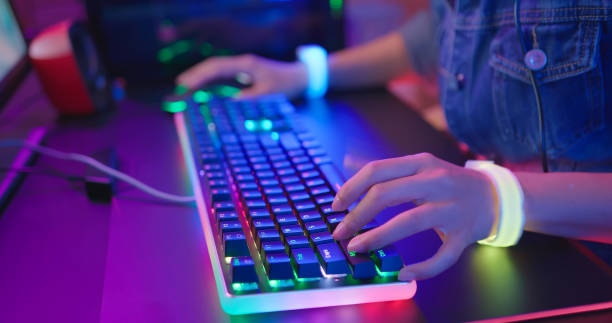
A gaming keyboard will not magically make you better. It will not fix bad aim or a router that drops packets. What it can do is remove tiny frustrations. A keyboard that misses inputs, feels mushy, wastes desk space, or dies mid-match is a problem. Find a board that feels good, fits your setup, and stays out of the way.
The first decision is mechanical versus membrane. Membrane keyboards use a rubber dome under each key. They are cheap, quiet, and fine for casual play. Mechanical keyboards use individual switches. They feel more consistent, last longer, and can be repaired or customized. Mechanical is not automatically better, but most gamers prefer it because every press is crisp and predictable. Optical, magnetic, and hall-effect switches offer adjustable actuation and rapid trigger, but most people do not need them. If you mainly play story games, a good membrane board is not a crime.
Switch feel matters more than marketing names. Linear switches are smooth from top to bottom with no bump. They are popular for fast-paced games because they are simple and quiet. Tactile switches have a small bump partway down. They tell your fingers when the key has registered, which helps typing and gaming. Clicky switches add an audible click. They feel great in a quiet room and terrible on a microphone or to anyone nearby. Actuation force matters too. A light switch around 35 to 45 grams is easy on fingers but can cause accidental presses. A heavier switch around 50 to 70 grams gives more resistance. There is no best switch, only a best fit.
Layout is where many people buy the wrong keyboard. Full-size boards include a number pad. They are great for MMOs and games that use lots of keybinds. Tenkeyless boards cut the number pad, which gives your mouse more room. A 75 percent board keeps the function row and arrow keys in a compact frame. A 65 percent board drops the function row but keeps arrows. A 60 percent board removes arrows and function keys, relying on layers. Smaller is not automatically better. If you use F-keys or arrows in menus, a tiny board may annoy you. Pick the smallest layout that still has the keys you actually touch.
Connectivity and polling rate are next. Wired keyboards are reliable and never need charging. Wireless is now good enough for gaming, but use a 2.4GHz dongle rather than Bluetooth for the lowest lag. Polling rate is how often the keyboard reports to the computer. A 1000Hz rate is standard and plenty. Higher rates sound impressive, but the benefit is tiny and can cost battery life. N-key rollover and anti-ghosting mean the keyboard can handle many keys at once without dropping inputs. Most modern boards do this well over USB.
Build quality and features should serve you, not impress strangers. Hot-swappable sockets let you pull out switches and try new ones without soldering, which is great for beginners. Keycaps matter more than people think. ABS plastic feels smooth but shines over time. PBT plastic resists shine and feels textured. RGB lighting is fun, but it will not improve your rank. Onboard memory lets you save profiles without running a background app. A wrist rest can help, but only if it keeps your wrists straight.
Comfort beats specs. Keyboard angle, height, and keycap shape change how your hands feel after an hour. If you can try a board before buying, do it. If not, buy from a store with a friendly return policy. A good starting budget is 40 to 80 dollars. The sweet spot for most people is 100 to 180 dollars. Beyond that, you are paying for small improvements, rare materials, or a hobby.
Clean your keyboard occasionally with compressed air and a little isopropyl alcohol. If keys double-type, check firmware, debounce settings, or a failing switch. If a wireless board lags, move the dongle closer with a USB extension and avoid crowded ports.
The best gaming keyboard is the one you forget about. It should feel natural, fit your desk, and let you play without fighting it.