The kitchen counter has become a nest of cables, adapters, and half-dead gadgets by the end of the day. Phones, tablets, earbuds, watches, handheld consoles, and laptops all want a drink of electricity at once. You plug in one device and another gets knocked loose. Someone steals the good cable. Someone else swears their charger is faster. This is not a tech problem. It is a household workflow problem. Fix the workflow, and the gadgets settle down.
Start by counting your household’s daily charging needs. Not every device. The daily drivers: phones, watches, earbuds, tablets, maybe a laptop, controller, or portable battery. Make a simple tally. Then decide how many charging spots you truly need. A family of four with two phones each, watches, and earbuds can easily need eight to ten spots. A single power strip with five outlets will not cut it. The goal is one landing zone per person, plus a small overflow area for guests or new gadgets.
Pick a central location with good airflow, near an outlet, and out of walkways. Not the kitchen sink. Not the arm of the couch. A side table, entryway shelf, or dedicated desk corner works well. If everyone drops their devices there when they get home, the morning scramble ends. The station should be visible and convenient, or nobody will use it. Convenience beats cleverness every time.
Now think about power. Get a high-quality surge protector with enough outlets, plus separate USB chargers. Cheap power strips with built-in USB ports often share power and charge slowly. Better to use a few good wall chargers and a sturdy strip. Look for USB-C Power Delivery, often called PD, for modern phones, tablets, and laptops. A 65-watt or 100-watt gallium nitride charger can power a laptop and phone at once. For iPhones and older devices, a USB-A to Lightning cable still matters. For Android phones and newer iPads, USB-C is the standard. Watches need a magnetic puck, while earbuds take a tiny cable or wireless pad. Do not buy a charger that claims huge wattage but splits it poorly. Read the fine print: a 100-watt total charger might give 65 watts to one port and 30 watts shared. Know what you are getting.
Cable management is where multi-device homes fail. Use short cables for close devices and longer cables for laptops. Color-code by person or device type. Labels made with tape and a marker work fine. Use Velcro ties instead of twist ties. Mount a power strip under a shelf or desk with screws or heavy-duty adhesive. Keep cables from dangling. A cable box or basket can hide the mess, but it must be ventilated. Trapped heat shortens battery life and can be dangerous. If you have pets or toddlers, route cables behind furniture or inside a raceway. No one wants a chewed charging cable or a pulled-down lamp.
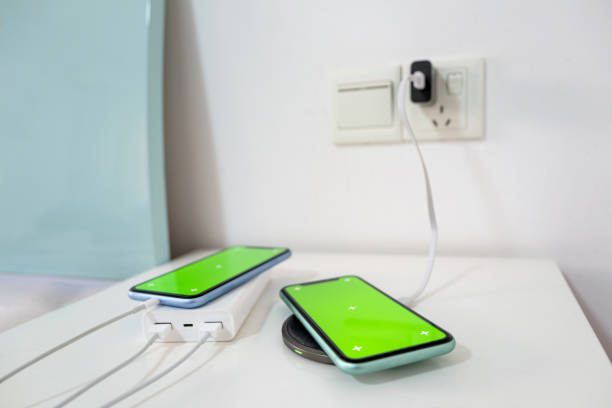
Wireless charging can help, but it is not magic. It is great for overnight phones, watches, and earbuds. It is not great for everything. Wireless pads are usually slower and create more heat. If your phone case is thick or has metal in it, wireless charging may not work at all. A wireless stand for a phone is nice for a bedside table. A three-in-one station for phone, watch, and earbuds reduces cable clutter. Just make sure each device lines up with the right coil. Cheap wireless chargers often overheat or stop charging in the middle of the night. Buy from a brand that lists wattage and safety certifications. In a mixed household with Android and iPhone users, individual pads or cables might be simpler than one universal station.
Set simple household rules and make them easy to follow. Devices charge at the station, not in every bedroom. No device takes two spots. Cables stay with the station. If someone needs to travel, they grab a small travel pouch. Keep a travel kit with a compact charger, a cable, and a battery bank. That prevents people from stealing the station’s cables. Also keep a drawer for extra cables, old chargers, and adapters. When a cable frays, recycle it. Do not keep mystery cables that fit nothing. A labeled bin for spares saves arguments.