It happens at the worst time. You try to record a video, take one more photo, or download a game, and your phone says storage is almost full. Most people start deleting memories one by one. That is backwards. Built-in storage is fast, but it is not infinite. Treat it like a workbench, not a warehouse. Keep the apps and current projects you use every day on the device, then move older media and bulky files to storage that can grow with you.
First, find out what is actually eating your space. On an iPhone, go to Settings, General, and iPhone Storage. On Android, check Settings and Storage. You will often find a game you have not opened in a year taking several gigabytes, or a streaming app holding downloaded movies you forgot about. Delete what you truly do not need, but do not stop there. The bigger win is changing habits so the problem does not come back next month.
Cloud storage is useful, but it is not magic. iCloud, Google Photos, Dropbox, and OneDrive can hold photos and videos, yet free tiers fill up fast. If you want offline access, you often have to download those files again, which uses device space. Cloud is best for backup, sharing, and syncing between devices. For a large personal library you want to keep and access without Wi-Fi, local external storage is usually cheaper and faster over the long run.
Phones and tablets have connectors. Many Android phones and newer iPhones use USB-C. Older iPhones use Lightning. Most modern iPads use USB-C, while older ones use Lightning. You can plug in a USB flash drive, SD card reader, or portable SSD with the right dongle or adapter. This is where dongles earn their keep. A simple USB-C to USB-A adapter plus a cheap flash drive gives you extra room for movies, photos, and documents. For Lightning iPhones, use Apple’s Lightning to USB Camera Adapter or a certified MFi equivalent. Check power needs, because some portable SSDs draw more power than a phone can provide. A powered hub or a drive with its own power can solve that.
MicroSD cards still matter on many Android phones and tablets. If your device has a card slot, use it. Move photos, videos, music, and podcasts there. Some camera apps can record directly to the card. Avoid putting apps on the card unless your device supports adoptable storage, because cards are slower and less reliable than internal memory. Buy a reputable card from a known brand, not the mystery bargain bin. And back it up. Cards fail.
For iPhones and iPads without card slots, external storage works through Lightning or USB-C. The Files app can read drives if they are formatted correctly. For best compatibility, use exFAT for larger drives and FAT32 for smaller ones. exFAT handles big video files without complaint. APFS is fine if you only use Apple devices. To move photos off an iPhone, plug in a drive, open Files, and copy them over. For video projects, a portable SSD with USB-C is better than a thumb drive because speed matters. Newer iPads and iPhones can even edit video from an external SSD, saving precious internal space.
Dongles and docks are not just for laptops. A USB-C hub for a tablet can add a card reader, USB drive, HDMI, Ethernet, and charging pass-through. That turns a tablet into a lightweight workstation. For a phone, a small hub can let you offload photos to an SD card while charging. Watch for heat and power problems. Cheap hubs can disconnect or slow down. Buy one that supports USB 3.0 or higher and power delivery. For gaming, an external SSD can store large files on some Android devices, though many mobile games do not allow it. It is still useful for emulators and legally owned ROMs.
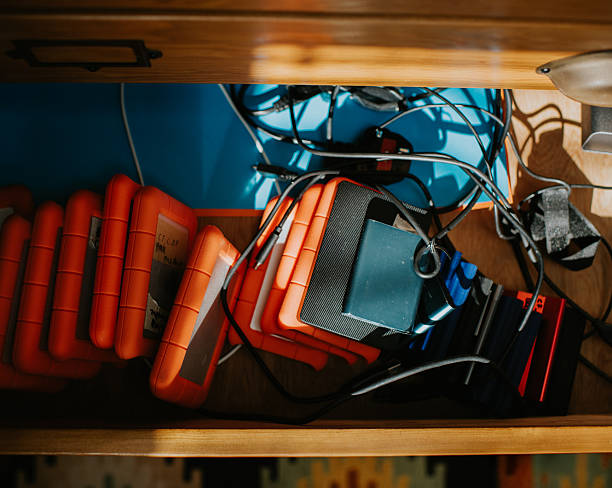
Storage expansion is not backup. If you move wedding photos to a single SD card and lose it, they are gone. Use a backup strategy. Three copies, two types of media, one offsite. That can mean your phone, an external drive, and cloud storage. Automate what you can. Let iCloud or Google Photos handle your camera roll, then occasionally copy important files to an external SSD. For tablets used for art or music, export projects to a drive and to the cloud.
Build simple habits. Stream instead of downloading when you can. Offload apps you rarely use and re-download them later. Clear cache in apps that hoard data. Messages with years of attachments can be huge, so set them to keep for a shorter time. Use optimized photo storage, but understand that it still keeps small previews and may download full-resolution files when needed. Before a trip, download only what you will actually use, then delete it afterward.
Your phone or tablet does not need to hold everything forever. Use internal storage for speed and current needs. Use external storage for bulk. Use the cloud for backup and sharing. A twenty-dollar flash drive and a ten-dollar dongle can save you from constant deletion or an expensive storage upgrade. Buy reputable gear, format it correctly, eject it safely, and keep backups. Do that, and your device will feel new again.