Your desk does not need a full renovation to feel new. It needs a few smart changes that remove daily friction. Most setups become messy because things land wherever there is space. A charger here, a dongle there, a monitor at the wrong height, and suddenly you are hunched over like a question mark. A good makeover starts by watching how you actually use the desk. Each use needs different placement. Write down your top three annoyances. Maybe the monitor is too low. Maybe cables snag your mouse. Fix those first and you will feel the difference before spending much money.
Clear the surface completely, then put back only what you touch daily. If you have not used something in a month, it belongs in a drawer. This one habit makes any setup look intentional. Next, raise your screen. A laptop on a stand plus an external keyboard and mouse is the biggest comfort upgrade for most people. Your eyes should hit the top third of the screen when you sit tall. If you are not sure about height, test with books or a cardboard box before buying a riser. For desktop monitors, an adjustable arm or simple shelf can free up space underneath. Put your keyboard and mouse close enough that your elbows stay near your sides. Reaching forward all day is a quiet source of shoulder pain.
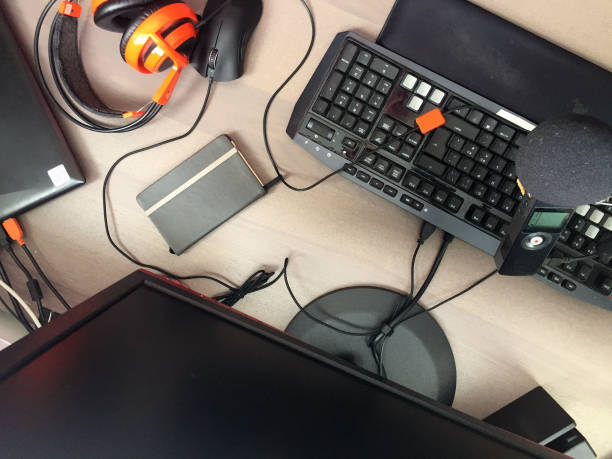
Cable chaos is the next target, and you can fix it without drilling holes in a rental or a nice desk. Reusable velcro ties are better than zip ties because you will change things later. Adhesive clips can guide cables along the back edge. An under-desk cable tray that clamps or sticks on can hold a power strip and bricks. Route one thick cable sleeve instead of twelve thin ones. Leave a little slack so you can move your monitor or stand up without yanking plugs. If you use a power brick for a laptop, do not trust a weak adhesive strip alone. Use a tray or shelf, and label each brick with tape.
Lighting changes how expensive your setup feels. Harsh overhead light causes eye strain and makes video calls look tired. Add a bias light behind your monitor to reduce contrast against a dark wall. A small desk lamp with a warm or neutral bulb can light your keyboard without reflecting on the screen. If you use a webcam, put light in front of you, not behind you. A window in front is good. A window behind turns you into a silhouette.
Power and docking deserve a permanent home. A USB-C dock or hub can connect your monitor, keyboard, mouse, Ethernet, and storage through one cable. For gamers, check that the dock supports the refresh rate and resolution you want. Cheap unpowered hubs can drop external drives, so use powered options for anything important. Put a charging station at the edge of the desk for your phone, watch, and earbuds. Keep the power strip reachable with a switch. A surge protector is cheap insurance for expensive gear.
Your digital desk matters too. An external SSD keeps projects fast and portable. A backup drive that runs automatically keeps them safe. If you can, use three copies of important files, on two different types of media, with one copy offsite or in the cloud. Label drives with names, not mystery codes. Clear downloads weekly. A small drawer or bin for dongles, SD cards, and adapters stops the scavenger hunt.
Finally, make comfort and style work together. Set your chair so your feet are flat and your elbows are near ninety degrees. Keep the mouse close. Add a plant, a photo, or a color you like, because you will use the desk more if it feels good. Give yourself one drop zone for keys, wallet, and phone. If something falls over every day, it is in the wrong place. Test a change for a week. The best desk setup is not the most expensive one. It is the one that stays easy to use.