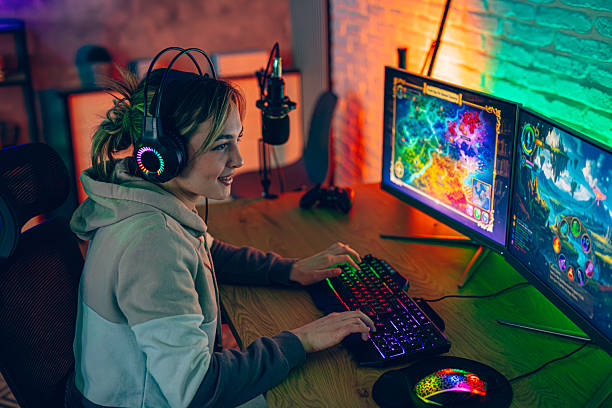
Competitive gaming is a reaction sport. You see a pixel, your brain decides, your hand moves. A monitor sits at the front of that chain. If it shows the wrong frame, smears movement, or waits too long to display your input, you lose fights you should win. The good news is you do not need to spend a fortune. You need to understand a few specs, ignore most marketing, and set the thing up properly.
Refresh rate is how many times per second the screen draws a new image. 60Hz means 60 updates. 144Hz means 144. More updates means smoother motion and less guesswork when tracking a target. For competitive play, 144Hz is the realistic floor. 240Hz is a real upgrade if your PC can push that many frames. 360Hz and up are for high-level esports and deep pockets. A high refresh rate monitor cannot create frames. If your graphics card only manages 80 frames per second, a 240Hz screen mostly shows the same frames more often. Match the monitor to your hardware.
Response time is how fast a pixel changes from one color to another. Slow pixels cause ghosting, that blurry trail behind moving objects. Monitor makers quote gray-to-gray numbers, which are often optimistic. Reviews with real measurements matter more than a box that says 1ms. Look for overdrive settings. Overdrive pushes pixels harder to reduce ghosting. Too little leaves smears. Too much creates inverse ghosting, a bright halo behind movement. The best setting is usually in the middle, not maximum. Tune it by eye with a fast-moving game or a test pattern.
Panel technology shapes the experience. TN panels are traditionally the fastest and cheapest, but colors and viewing angles are dull. IPS panels used to be slow, but modern fast IPS models are excellent for gaming and look much better. VA panels have deep contrast but often smear dark motion, which is bad for competitive play. OLED is the current king for motion clarity because pixels switch almost instantly and blacks are perfect. OLED costs more and carries burn-in risk, though newer models handle it better. If competitive play is the priority, choose a fast IPS or OLED.
Resolution is a trade. 1080p is easy to drive and keeps targets large. 1440p gives more detail and is a great sweet spot if your GPU can hit high frame rates. 4K looks sharp but is brutal to drive at competitive frame rates, so it is usually a single-player choice. Size matters too. 24 to 25 inches is the classic 1080p esports size. 27 inches suits 1440p. Bigger screens force more eye movement, and ultrawide monitors can hide information at the edges in some games. More pixels do not beat faster pixels when a flick decides the round.
Adaptive sync, sold as G-Sync or FreeSync, matches the monitor’s refresh rate to your graphics card’s output. It removes screen tearing without adding the heavy input lag of traditional V-Sync. It is helpful when frame rates vary. For pure competitive play, many players cap frames slightly below the max refresh rate and leave adaptive sync on, or run uncapped with low-latency modes. Input lag is the delay between your action and the screen showing it. Use the monitor’s game mode, turn off dynamic contrast, noise reduction, and any beauty processing. Those features make movies look nice and make your aim feel late.
Brightness should match your room, not burn your retinas. Black equalizer or shadow boost can reveal enemies in dark corners, but too much washes out the image. Motion blur reduction, also called backlight strobing, can sharpen movement, yet it often dims the screen and can cause eyestrain. Try it, but do not force it. Set the monitor at a comfortable height, about arm’s length away, with the top of the screen near eye level. Take breaks. A headache is worse for your rank than a slightly slower pixel.
When you shop, ignore “gaming” logos and focus on measured refresh rate, response time, input lag, and adaptive sync. Buy the monitor your GPU can actually feed. Then spend twenty minutes tuning overdrive, brightness, and game mode. A great monitor will not turn you into a pro, but a bad one will absolutely hold you back. Get the basics right, and your eyes and hands finally get to work together.