If your video calls make you look like a blurry witness in a true-crime documentary, the problem is probably not you. It is the tiny camera squeezed into your laptop lid. Most built-in webcams use small sensors, weak lenses, and software that favors smooth motion over actual detail. They are fine for quick meetings, but if you are recording tutorials, streaming, or making content for clients, that built-in camera becomes the weakest link in your setup. The good news is that you do not need to spend a fortune to look and sound professional. You just need to understand what a webcam is actually good at and when a real camera earns its keep.
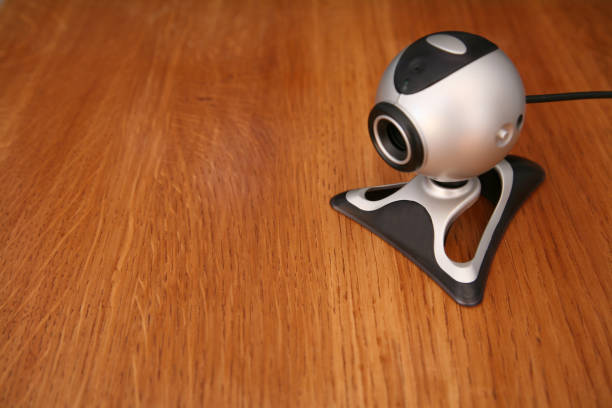
Standalone webcams are the middle ground. A decent $50 to $100 webcam from a known brand will usually beat a laptop camera with a sharper lens, better low-light performance, and a flexible mount. Many offer autofocus, a wider field of view, and a privacy shutter. Some even include software that lets you adjust exposure, white balance, and framing. For a beginner creator, that is often enough. If you stream on Twitch, teach over Zoom, or record weekly updates, a standalone webcam is simple. You plug it in, select it in your app, and go. No batteries, no capture card, no fuss. The trade-off is that webcams still use small sensors, so they struggle in dim rooms. They also tend to have fixed lenses, which means you cannot get that creamy blurred background without software tricks.
Your phone is the sleeper option. Modern smartphones have excellent cameras, often better than many dedicated webcams. With a simple mount and the right app, you can use your phone as a webcam over USB or Wi-Fi. The image can be surprisingly crisp, and the microphone is usually decent. The catch is convenience. You have to mount it, charge it, keep notifications from interrupting, and sometimes fight with software. It also ties up the phone you might need for calls, messages, or checking a script. For occasional high-quality recordings, a phone is a smart budget move. For daily streaming, it can become annoying.
A mirrorless camera or DSLR is the top tier. These cameras have large sensors, interchangeable lenses, and manual controls. They make you look sharp, dimensional, and intentional. You can blur the background naturally, shoot in low light without mush, and switch lenses for a wide desk shot or a tight talking-head frame. To use one as a webcam, you usually need a capture card, a dummy battery or power adapter, and a tripod or arm. Some cameras work directly over USB, but many need extra gear. This is where the cost jumps. A used camera body, a clean lens, a capture card, and a power solution can easily pass $500. That is not crazy for a serious creator, but it is overkill for someone who just wants to look better on team calls.
The real secret is that lighting and audio matter more than the camera. A $60 webcam in a well-lit room with a soft light and a $30 lapel mic will look and sound better than a $1,000 camera in a dark cave with echoing room noise. Put a light in front of you, not behind you. Avoid sitting with a bright window at your back. Get closer to the microphone, or use a headset if you move around. Treat your background with intention: a tidy shelf, a plain wall, or a subtle curtain beats a messy room every time. These fixes are cheap, and they work with any camera.
So how do you choose? If you are just starting, use what you have. Improve your lighting and audio first. If your laptop camera still embarrasses you, buy a mid-range webcam. If you want a noticeable upgrade and you record often, try your phone with a mount. If you are building a channel, selling courses, or streaming for hours, invest in a mirrorless camera and the support gear that makes it reliable. Compare cameras and webcams by asking what you actually need: portability, simplicity, image quality, or flexibility. The best camera is the one that lets you hit record without dread. Everything else is just shopping.