Your phone says storage is almost full, and suddenly every photo feels like a decision. The good news is you probably do not need to delete your memories. You need to find out what is actually eating space. On an iPhone, open Settings, then General, then iPhone Storage. On Android, open Settings, then Storage. Do not guess. Photos, videos, messages, music, podcasts, maps, games, and app caches all compete for room. Once you see the real numbers, the fix is usually a mix of moving files, clearing junk, and changing a few habits.
Photos and videos are almost always the biggest culprits. Turn on cloud backup for the service you already use, whether that is iCloud, Google Photos, OneDrive, or Dropbox. Then learn the difference between backing up and keeping everything on the device. iPhone’s Optimize iPhone Storage keeps smaller versions on the phone while full-resolution originals live in iCloud. Google Photos can free up space on Android after a backup. Cloud storage is not unlimited magic. Free plans fill up fast, and large libraries need a paid plan. If you do not want another subscription, copy photos to a computer or an external drive. Do not delete anything until you have checked the backup.
That last point matters because the Recently Deleted folder is a trap. iPhones and Android phones keep deleted photos for about thirty days. Empty it to reclaim space. Then look for screenshots, blurry duplicates, and long videos. A single minute of 4K video can take hundreds of megabytes. If you mostly share clips on social media, switch your everyday video setting to 1080p. Also check messaging apps. Text threads are not just text anymore. Photos, videos, voice notes, and stickers pile up inside iMessage, WhatsApp, Telegram, and Signal. In each app, look for storage or data settings and clear old media or cache. Turn off auto-download so new group chats do not flood your phone.
Apps and games are next. Unused apps still take space, and some games are huge. On iPhone, offload apps you rarely use. Offloading removes the app but keeps its documents and data, so you can reinstall it later without losing progress. On Android, uninstall what you truly do not need. For apps you keep, open their settings and clear cache when it grows. Streaming apps are sneaky. Downloaded movies, shows, songs, and podcasts are convenient, but watched episodes and played podcasts do not need to stay. Set music apps to stream instead of download everything, or download only a few favorite playlists. Let podcasts auto-delete after you finish them.
Do not forget files, downloads, and offline maps. The Files app on iPhone and iPad, plus the Downloads folder on Android, often hides old PDFs, manuals, attachments, and installers. Offline map areas can take gigabytes. Remove regions you no longer visit. Voice memos and notes with large attachments add up too. Tablets have the same problem, especially if they are shared for movies, games, and schoolwork.
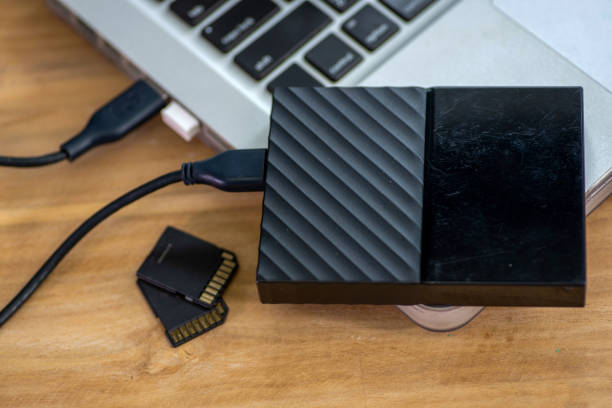
When internal storage is not enough, external storage and a simple dongle can save the day. Many Android phones and tablets still accept a microSD card. Move photos, videos, music, and some apps to the card. iPhones and iPads do not take microSD cards, but they can use external drives through the Lightning or USB-C port. A USB-C flash drive, portable SSD, or SD card reader lets you copy photos and videos off the device. For best compatibility, format the drive as exFAT, and always eject it safely before unplugging. This is also great for travel: offload the day’s footage, then start fresh tomorrow.
Finally, build a backup habit and do a monthly ten-minute cleanup. If a file only exists on your phone, it is one drop, one lost phone, or one bad update away from gone. Use automatic cloud backup for convenience, but make a local backup now and then. Check that the backup works by restoring a single photo or document. Keep ten to fifteen percent of your storage free. A nearly full phone can slow down, struggle with updates, and make apps crash. Storage is not about deleting your life. It is about moving what matters, keeping what you need today, and letting go of digital clutter. Do that, and your phone will feel new again without costing a fortune.